
Sponsored

Navigation expired and Android Auto won't open its MAP

choocad

Limited
New member
First Name
Joe
Joined
Jul 14, 2025
Threads
1
Messages
4
Reaction score
3
Location
KY
Vehicle(s)
2025 Limited
OK, As of today my 2025 Tacoma Limited has turned one year old and Navigation Factory display has of course expired. I opened Android Auto and first thing that comes up is Problem opening maps prompt on screen of truck , but everything else will function, Now before I opened Android Auto I did notice GPS signal had slash through it and I assume that is because I didn't renew the subscription , shame on me, HA HA . after researching Android auto , I found that it will try to use the factory Nav signal 1st, and if not available it is SUPPOSED TO SWITCH TO PHONE'S nav signal. Mine did not . I tried 1st to disconnect battery of truck and cleared cache on phone, even updated Android Auto on phone, none of that worked. So then I hooked up the USB Cable from phone to the USB port on the Side of Display unit on dash , then reran the Android Auto, now I have a Nav screen from Android Auto that works , I unhooked the USB cable shut vehicle off and restarted later and now goes to phone's GPS every time which is ok with me. I Hope this helps someone who is kind of cheap like me, and doesn't like subscriptions . Joe White
Sponsored

 

bsquaredMTB

TRD Off-Road Premium
Well-known member
First Name
Ben
Joined
Mar 10, 2024
Threads
48
Messages
523
Reaction score
404
Location
El Paso, TX
Vehicle(s)
2024 Tacoma TRD Off-Road Premium
FYI, You can also use it wirelessly if you enable the Android Auto toggle on your bluetooth connections.
 

Devleen

TRD Sport
Active member
First Name
Dev
Joined
May 18, 2026
Threads
0
Messages
28
Reaction score
9
Location
Tampa, FL
Vehicle(s)
2024 Tacoma
OK, As of today my 2025 Tacoma Limited has turned one year old and Navigation Factory display has of course expired. I opened Android Auto and first thing that comes up is Problem opening maps prompt on screen of truck , but everything else will function, Now before I opened Android Auto I did notice GPS signal had slash through it and I assume that is because I didn't renew the subscription , shame on me, HA HA . after researching Android auto , I found that it will try to use the factory Nav signal 1st, and if not available it is SUPPOSED TO SWITCH TO PHONE'S nav signal. Mine did not . I tried 1st to disconnect battery of truck and cleared cache on phone, even updated Android Auto on phone, none of that worked. So then I hooked up the USB Cable from phone to the USB port on the Side of Display unit on dash , then reran the Android Auto, now I have a Nav screen from Android Auto that works , I unhooked the USB cable shut vehicle off and restarted later and now goes to phone's GPS every time which is ok with me. I Hope this helps someone who is kind of cheap like me, and doesn't like subscriptions . Joe White
Thanks for sharing this great, budget-friendly tip! Hard-wiring the phone via USB forces the head unit to handshake and re-anchor its location data source to the mobile device, bypassing the expired Toyota Multimedia Services cloud lock.
 
OP
OP

choocad

Limited
New member
First Name
Joe
Joined
Jul 14, 2025
Threads
1
Messages
4
Reaction score
3
Location
KY
Vehicle(s)
2025 Limited
FYI, You can also use it wirelessly if you enable the Android Auto toggle on your bluetooth connections.
Yes , I was aware but thank you am that is the way i use it now. I was reading up on Android Auto when all this happened, it stated that When Android Auto connects it looks for available gps signal from factory infotainment system and utilizes it to save data time on phone , if not available it then uses phone's gps signal , Am going to monitor home screen every now and then to see if toyota cloud releases GPS and takes the slash mark off of signal strength on dash screen, but not getting my hopes up too much. Am sure some genius out there could write code to override this, but oh well, the way it goes for now..
 
Last edited:

NoSlushbox4Me

TRD Sport
Well-known member
Joined
Oct 23, 2025
Threads
2
Messages
72
Reaction score
61
Location
TX
Vehicle(s)
2025 TRD Sport 6MT
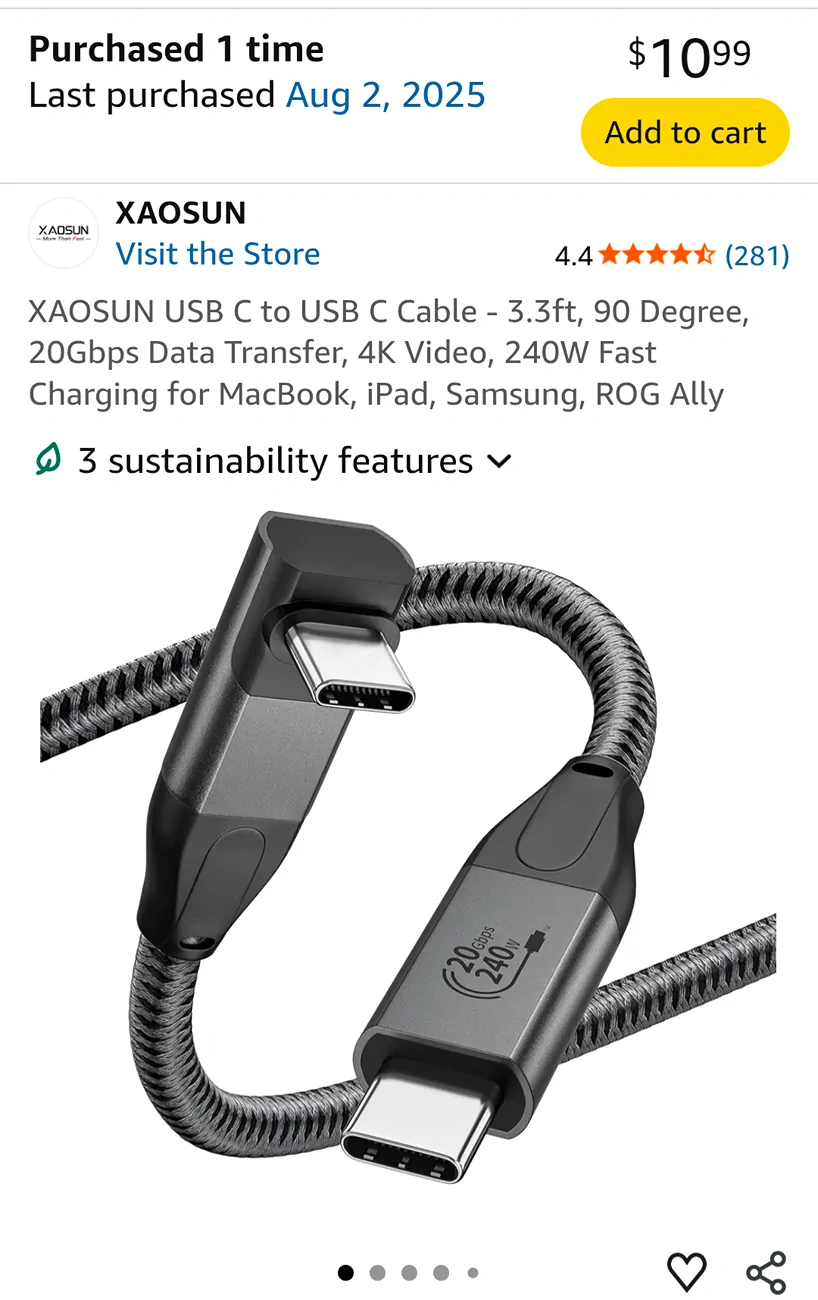
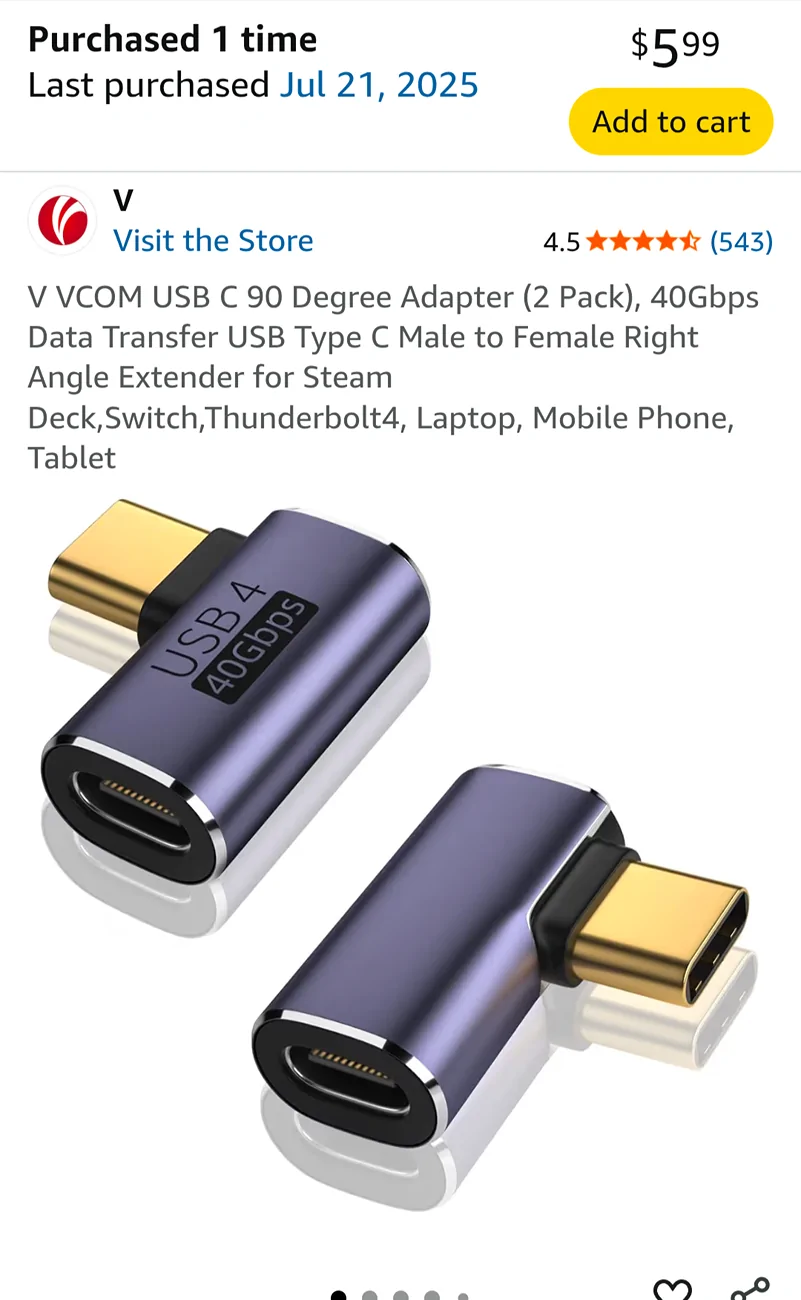
I use the hardwired connection because there are areas I regularly drive through that have enough EMI to disrupt the Bluetooth link. For the connection location for the 14" screen, this cable is almost perfect for connecting, looping around the back, and plugging into my phone with an added 90 degree adapter while it sits in the wireless charging location (but being charged by the cable).

2024 Tacoma Navigation expired and Android Auto won't open its MAP Screenshot_20260724-090233


2024 Tacoma Navigation expired and Android Auto won't open its MAP Screenshot_20260724-090335
Sponsored


Top