

Sponsored

disabling DCM / telematics in 2025 Taco

Dayen

SR
Well-known member
First Name
Daniel
Joined
Jan 8, 2025
Threads
18
Messages
83
Reaction score
41
Location
North Kingstown RI
Vehicle(s)
2024 Tacoma SR 6MT, 1985 BMW 316 5MT, 2004 BMW 325i 5MT (sold)
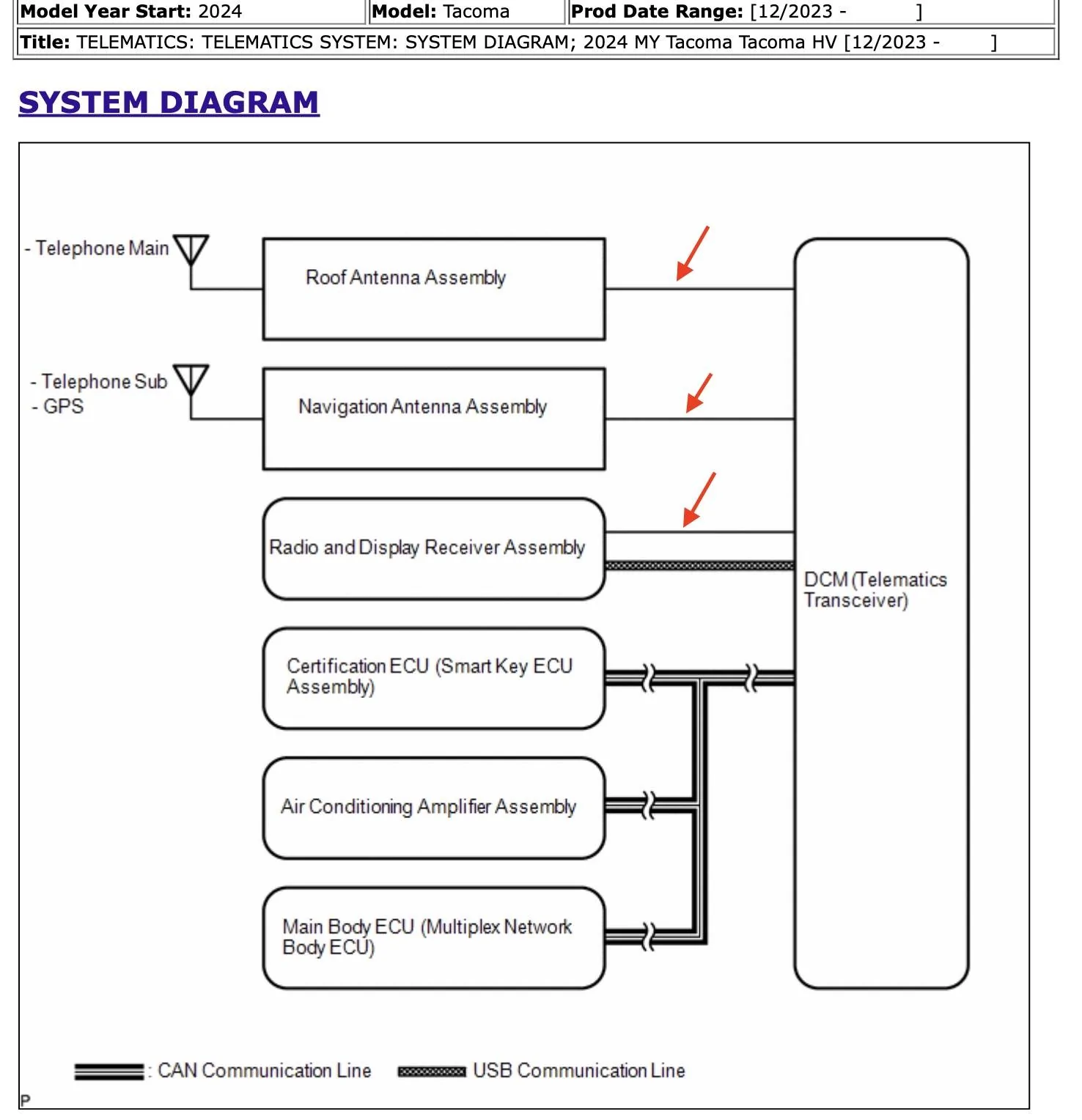
I would recommend not pulling the GPS antenna wire. I think it's the center one. GPS does not transmit. It will theoretically prevent the vehicle from storing location data locally, but I don't think it's doing much/any of that.

The head unit furnishes the GPS data to Android Auto and CarPlay. It's much more accurate than it is coming from the phone, as it's roof mounted vs under a giant sheet of metal. You'll get a less jerky Android Auto/CarPlay map if you leave the GPS intact. I'm assuming it still actually works when the telephone antennas are terminated...will find out when my cables/terminators arrive.

Also on the subject of cables and terminators.... One of the amazon reviews is saying that particular terminator is crap and not actually terminating the signal. I ordered some from Mouser Electronics instead. 712-2467938-1 terminators and 523-095Z820159012 cables. Definitely more expensive. Probably safe to still buy cables from amazon. TBD if these work well at all, they're in the mail at the moment. The Amazon ones might be just fine, but I've 100% had it with that site and its fake crap.
Thank you for this tip, I have noticed that my GPS in Android Auto acts quite strange sometimes because the antenna is unplugged. Do we think that it's using the port as the "antenna" anyways instead of your phone's GPS? I will probably plug the GPS antenna back in this weekend when I have time and see how it does
Sponsored


Droid

TRD Off-Road
Active member
Joined
May 18, 2025
Threads
2
Messages
34
Reaction score
28
Location
Wyoming
Vehicle(s)
25 OR MT
Thank you for this tip, I have noticed that my GPS in Android Auto acts quite strange sometimes because the antenna is unplugged. Do we think that it's using the port as the "antenna" anyways instead of your phone's GPS? I will probably plug the GPS antenna back in this weekend when I have time and see how it does
I tested with a couple of Android Auto phones and they pretty rough when the GPS was off (Had DCM fuse pulled). The Pixel 8 Pro's GPS did better than the Pixel 7's.

Android Auto definitely is reading a GPS signal from the head unit. I'm not an expert on Android Auto development but have been playing with the code of OrganicMaps (an open source AA-supporting map app). It is sending GPS location data to the phone. I had set up a device to only use the headunit-provided location and it was totally frozen after I powered off the DCM.

I'm guessing the DCM has the GPS in it and is simply sending a data steram of latlongs to the head unit. I don't think any GPS antenna connects to the head unit itself.

PS thanks much for the MT specific teardown instructions!
 

Dayen

SR
Well-known member
First Name
Daniel
Joined
Jan 8, 2025
Threads
18
Messages
83
Reaction score
41
Location
North Kingstown RI
Vehicle(s)
2024 Tacoma SR 6MT, 1985 BMW 316 5MT, 2004 BMW 325i 5MT (sold)
I tested with a couple of Android Auto phones and they pretty rough when the GPS was off (Had DCM fuse pulled). The Pixel 8 Pro's GPS did better than the Pixel 7's.

Android Auto definitely is reading a GPS signal from the head unit. I'm not an expert on Android Auto development but have been playing with the code of OrganicMaps (an open source AA-supporting map app). It is sending GPS location data to the phone. I had set up a device to only use the headunit-provided location and it was totally frozen after I powered off the DCM.

I'm guessing the DCM has the GPS in it and is simply sending a data steram of latlongs to the head unit. I don't think any GPS antenna connects to the head unit itself.

PS thanks much for the MT specific teardown instructions!
No problem!
I have a pixel 6a and just assumed that the gps module in the phone was the issue. Didn't get to it today because I was too busy being hungry but I'll try and do it tomorrow!

Glad you enjoyed the manual teardown information, there is not much information on the 6 speed cars out there it seems, check out my post a few weeks ago about the nalgene cupholders if you're also thinking about that!
 

Sancheesy

TRD Off-Road Premium
Well-known member
First Name
Shawn
Joined
Jan 24, 2025
Threads
0
Messages
46
Reaction score
13
Location
Ontario
Vehicle(s)
2014 TRD Off-Road 2024 TRD Off-Road Tacoma(s)
Qui
Posting a how-to on grounding out the antennas used by the DCM telematics module.

This post is not a debate about the puposes of telematics communicating data back to a toyota service center ,or legality of same -- only a how-to for those interested.

Background - why bother?
- All recent toyotas have a always-on cellular connection to Toyota corporate via thee internet. This enables lots of data reporting and remote monitoring & control of the vehicle. This includes GPS location, speed and other data. Maybe you don't care, maybe you feel the pros of being connected outweight the cons; but some people don't want this data being sent at all.

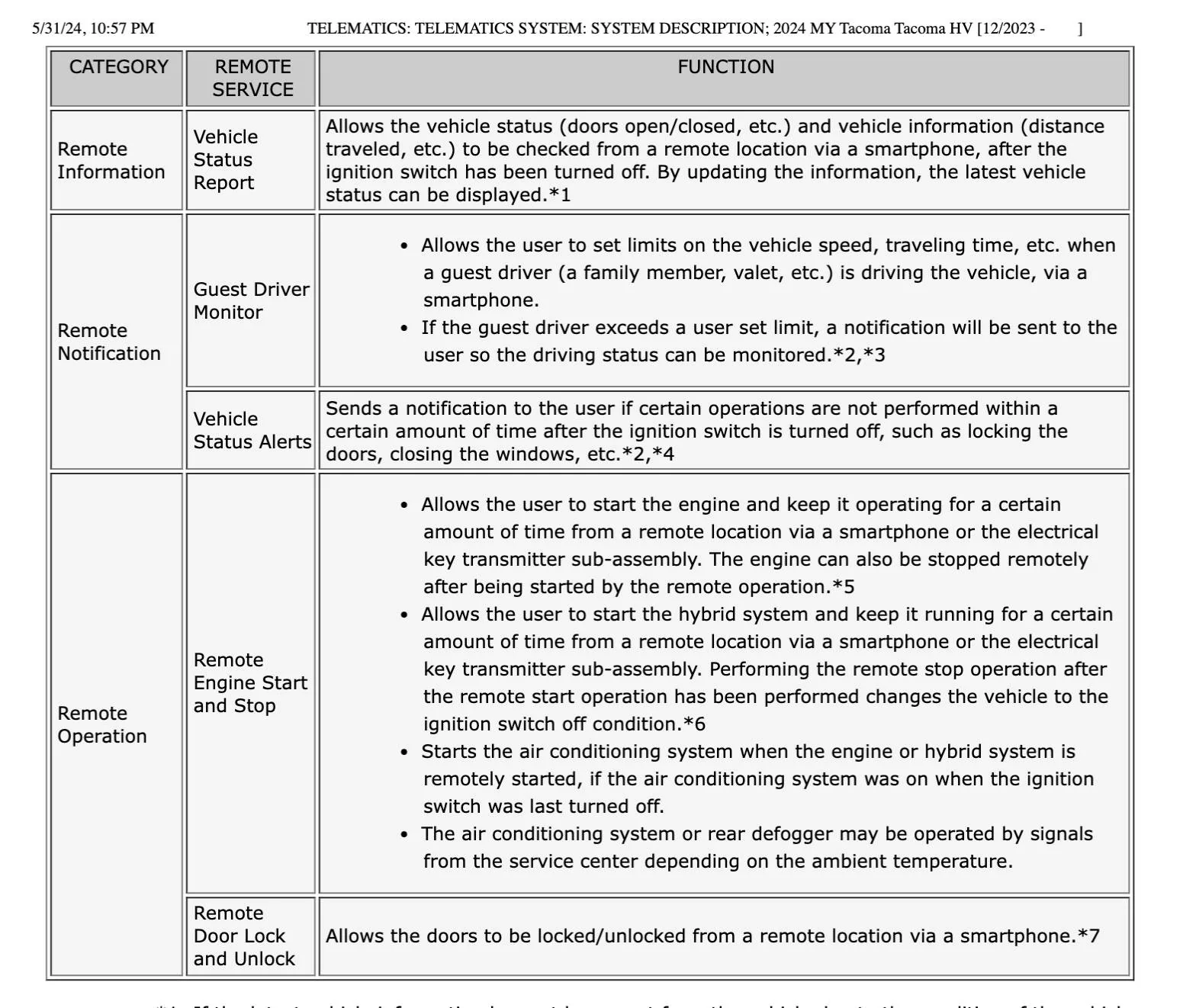
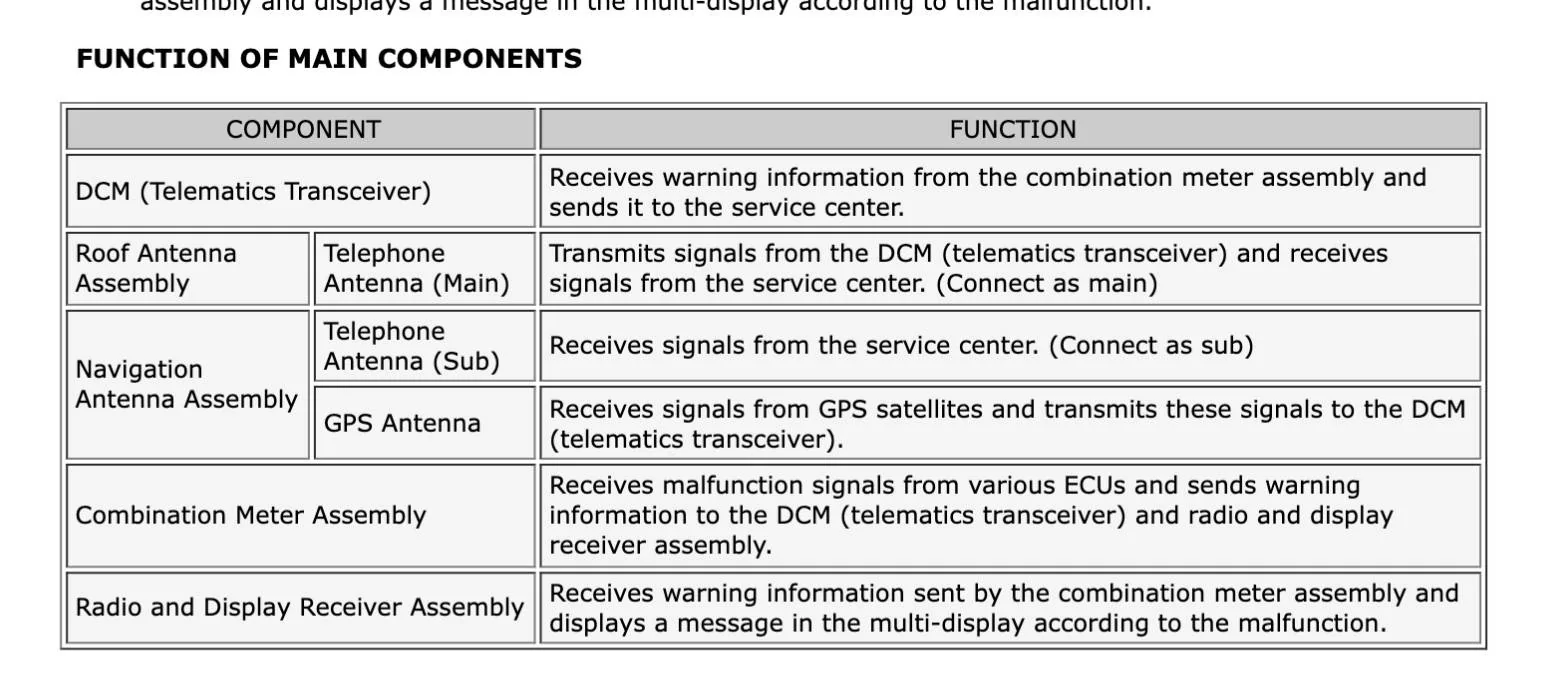
What data gets sent?
I Refer you to the 2024 service manual where it says:

aaaa.jpg


bbbb.jpg


The HOW-TO for those interested:

I know that on other Toyota models, pulling the DCM fuse results in a Check Engine Light. I Haven't tested this on my Taco; but i don't want a bogus CEL masking other legit causes for CEL. So i looked for a method to keep DCM communicating to ECU but not the outside world.

After some research I found this thread. This method takes less than 15 minutes and is completely reversable. Basically unplugging three oem cables and plugging in three terminated dummy cables which tell the DCM it's out of range for cellular and GPS. This does NOT affect any other cellular or GPS devices you might have in the vehicle.

First, I looked up the location of the DCM module in my 2025 Taco. It's behind the phone shelf/charging area just ahead of the shifter.

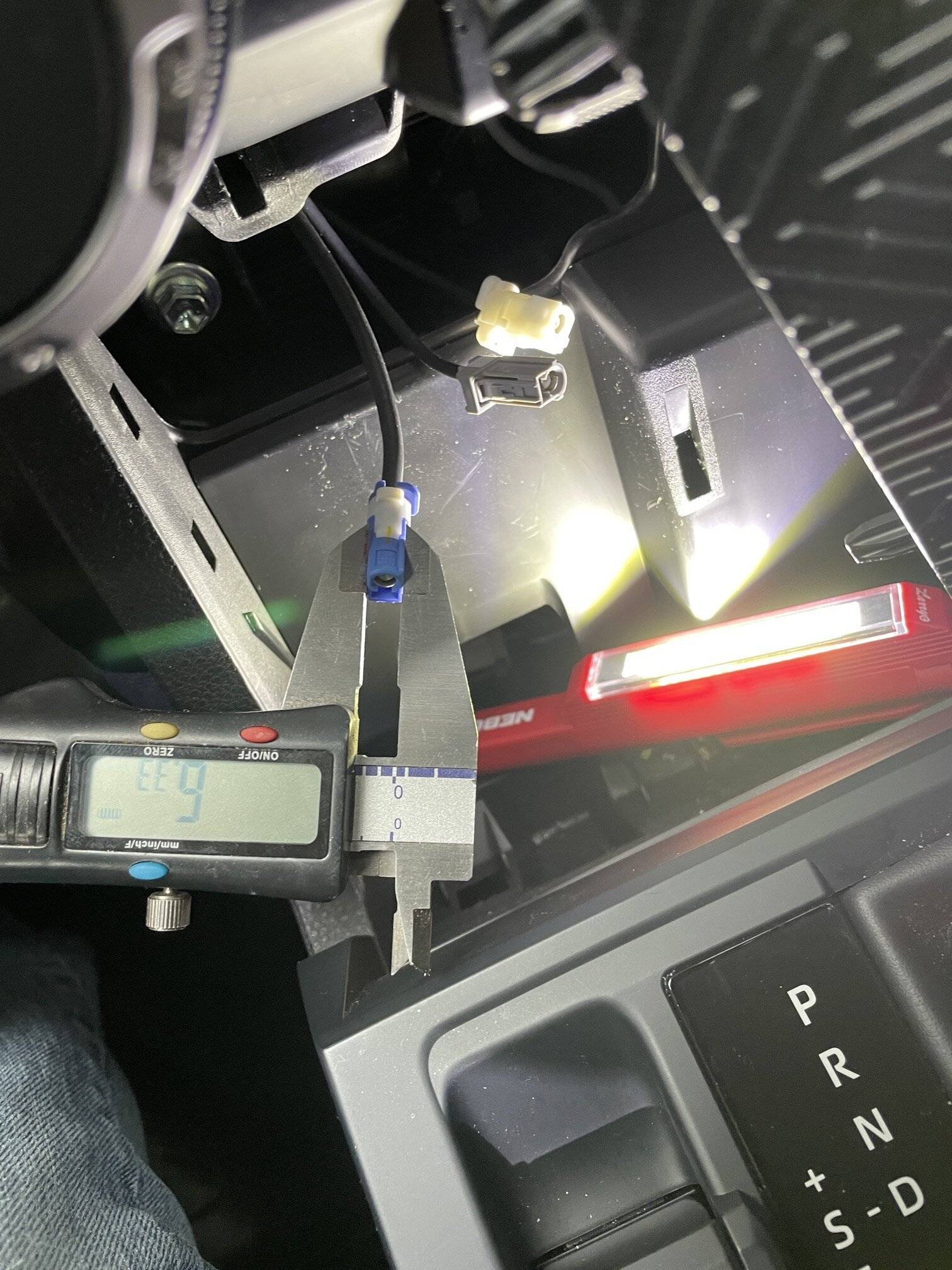
I purchased three 'Fakra Z Female to SMA Female Vehicle Antenna Adapter cables' and some 50-ohm SMA terminators off Amazon. The square Fakra Z shells on the jumper cables need to be removed leaving just the inner coax connector, becuase the Fakra shells are are too Fakrin' wide to fit into the Toyota DCM. Do this carefully so as not to damage or bend the inner coax connector fins.


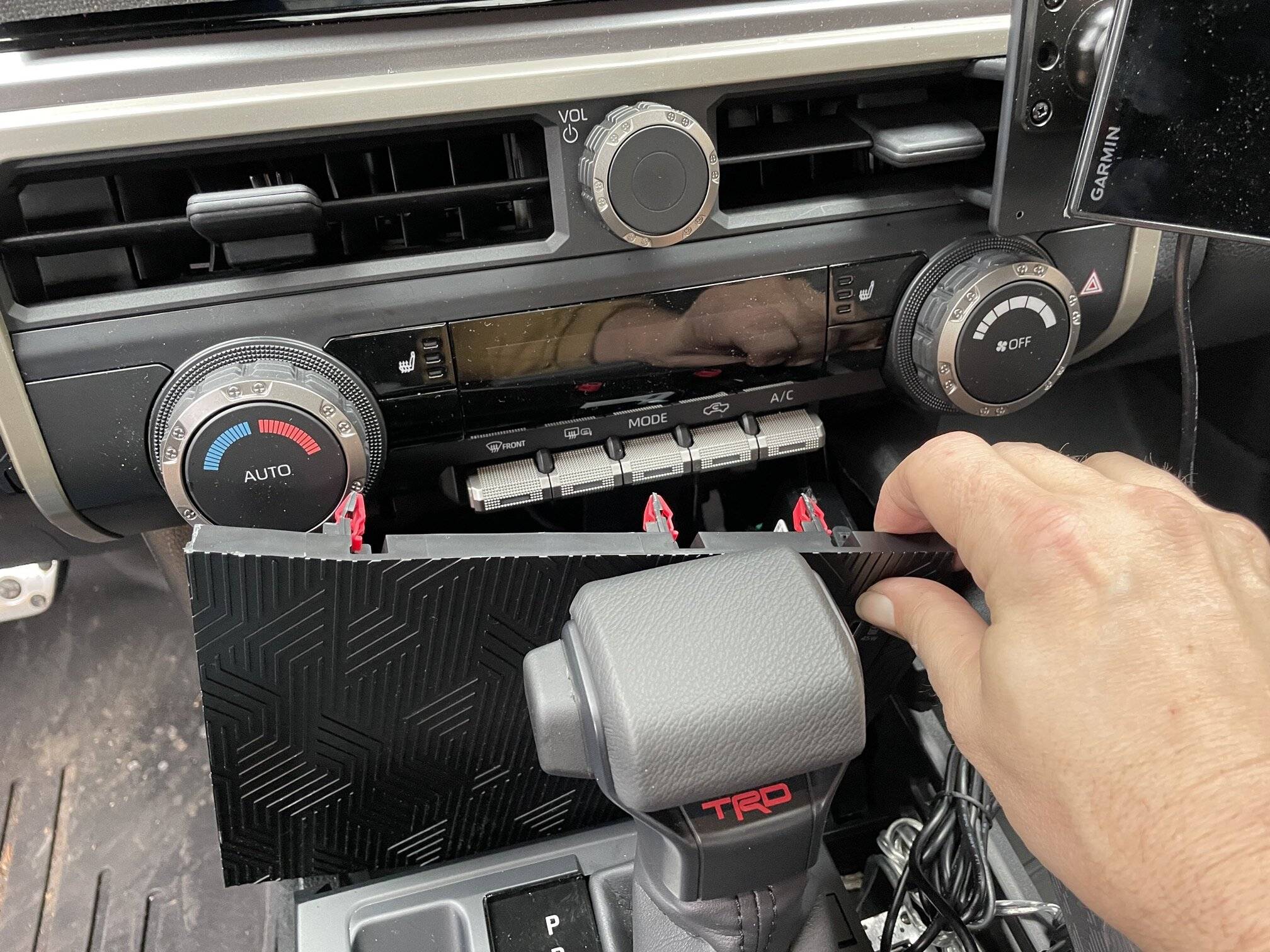
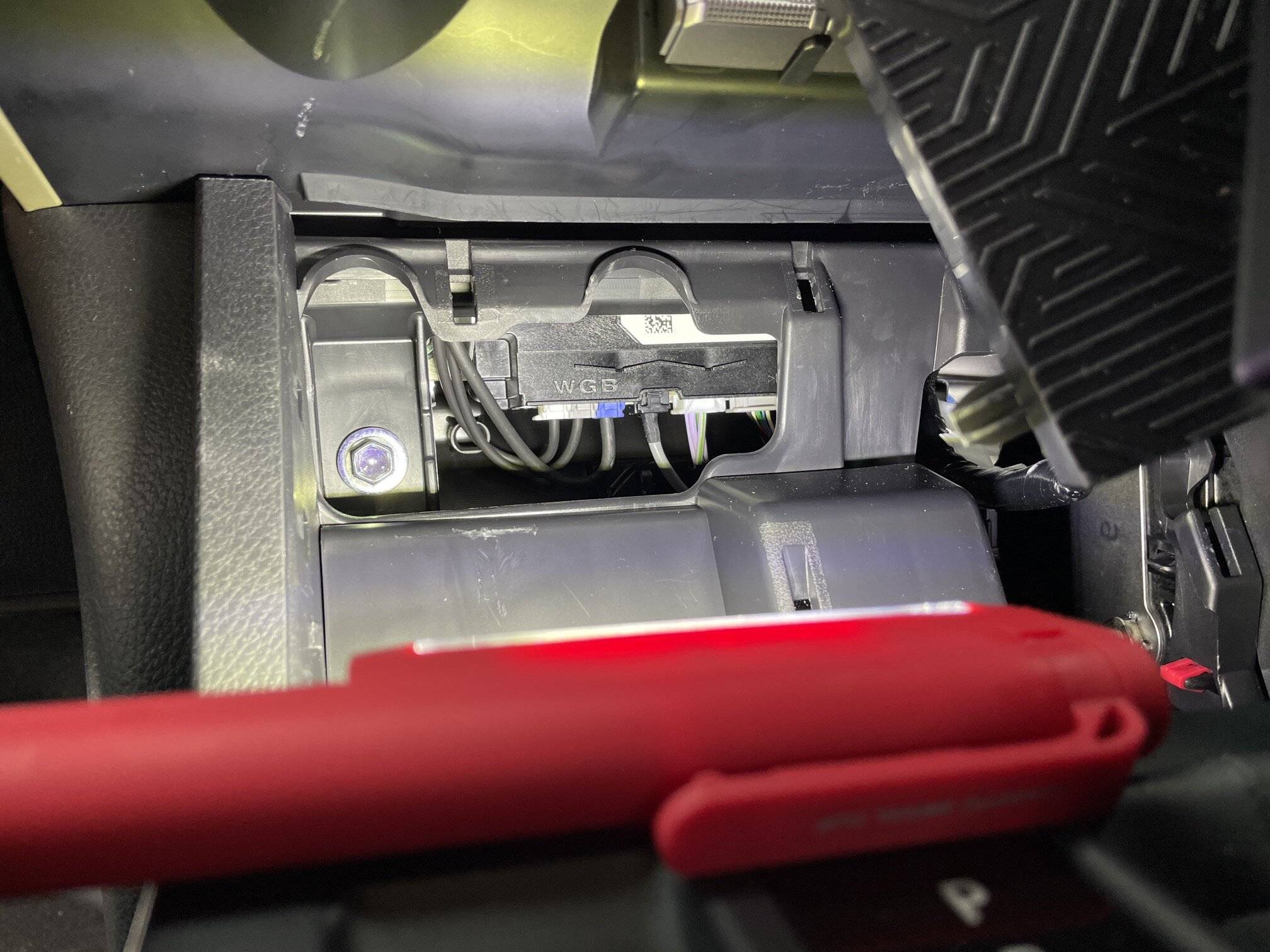
Accessing the DCM is easy; the panel holding the phone shelf/Qi charger basially pops forward and unclips. Once loose it can be pivoted to the right allowing acess to guts of the console. The DCM is front and center.

1_IMG_8358.JPG
3_IMG_8360.JPG


The antenna leads are on the left:


ant.jpg


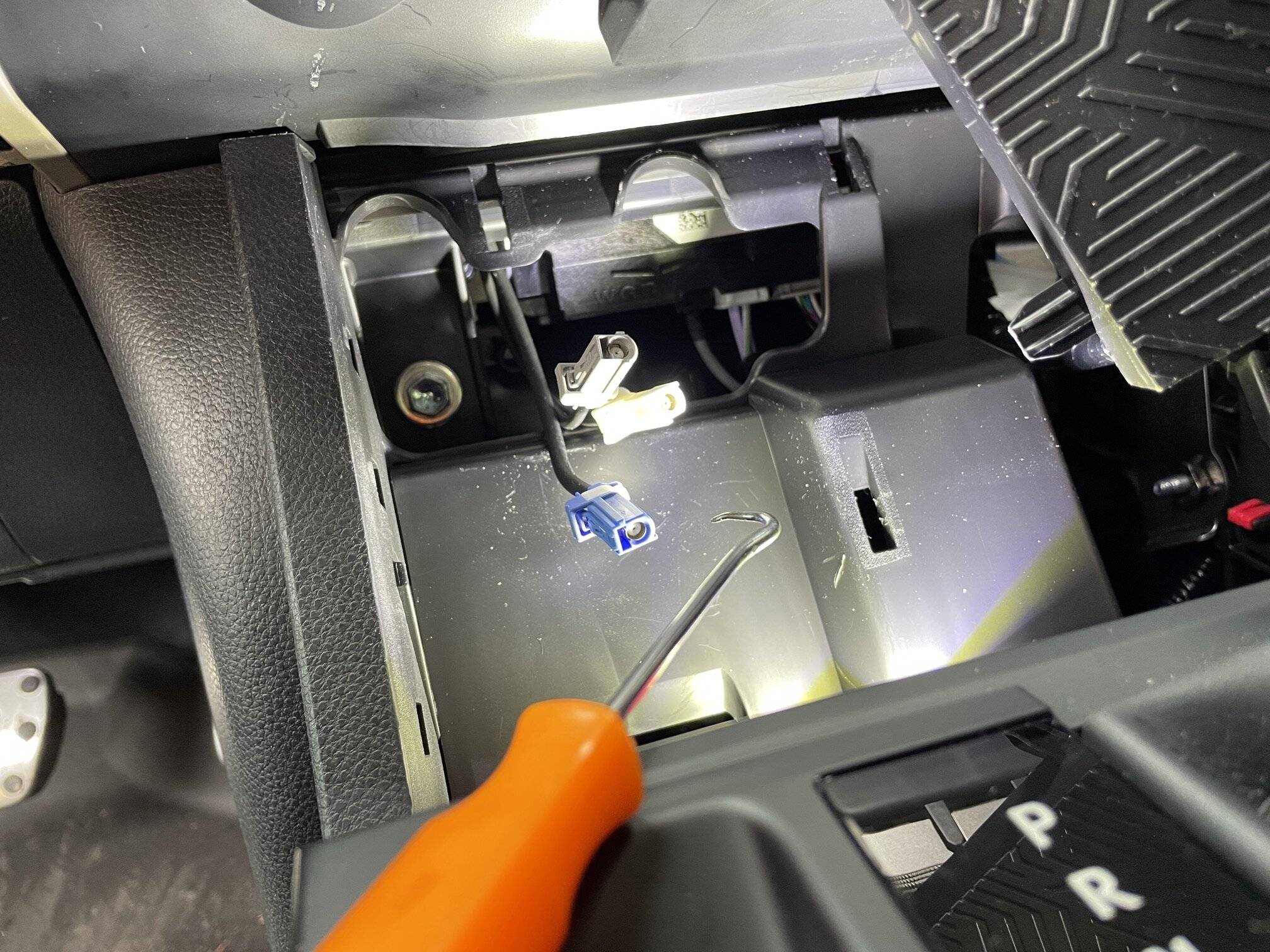
The latches for the connectors are at the front. I suggest using a right-angle tool such as a pick to push the latches inwards while tugging gently on the cables. They pop out easily.


5_IMG_8363.JPG


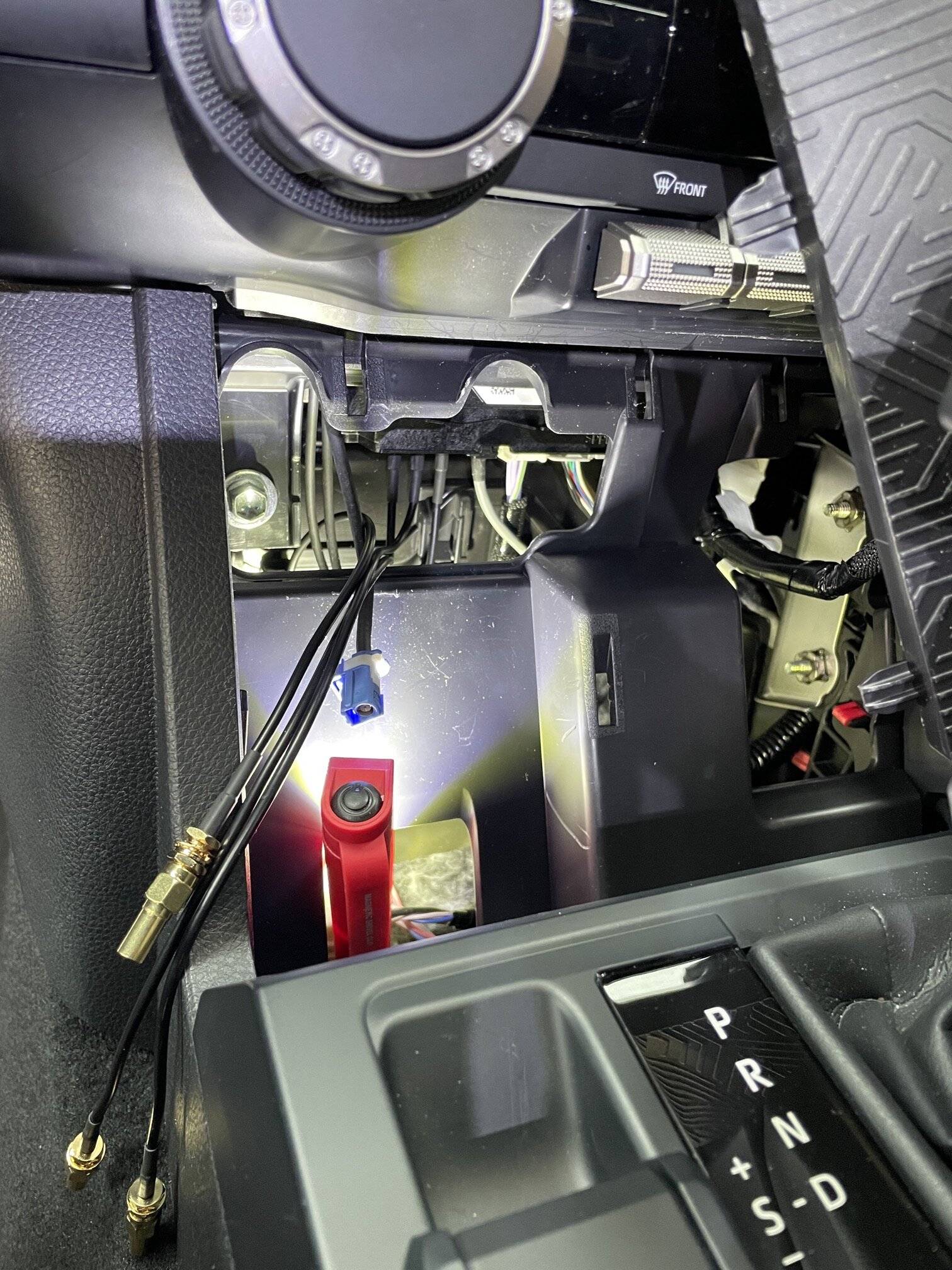
Install the terminated jumpers into the three DCM sockets you just freed up. The connectors have a slight interference fit so they won't easily fall out.

8_IMG_8368.JPG


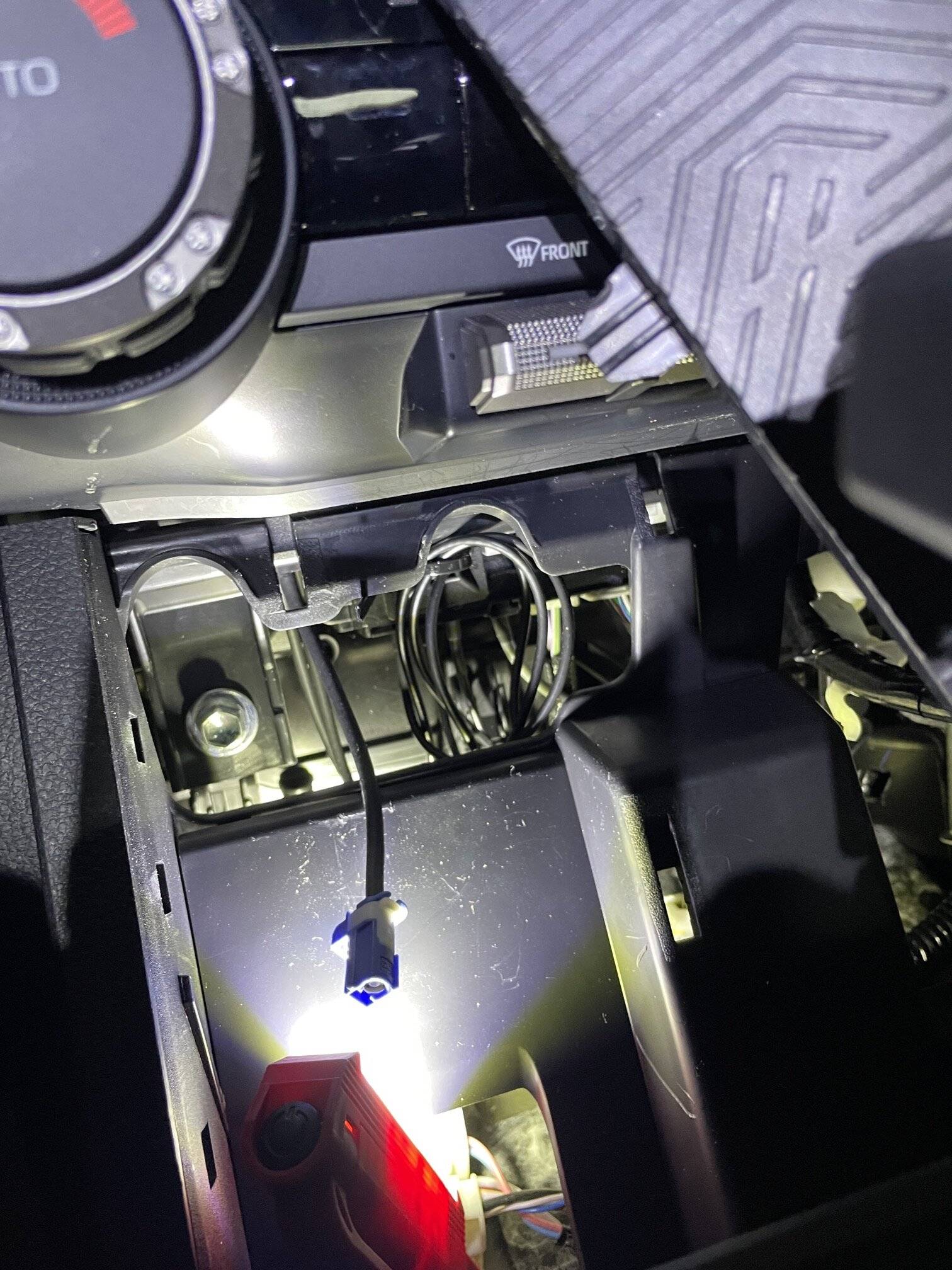
You could probably? just let the jumpers dangle in the dash area but i wanted to take their weight off the interference-fit coax connectors at the DCM side. So I used an ahdesive-backed zip-tie mount and a zip tie stuck right to the front of the DCM, through wich i looped the three new jumper cables. Now there is no weight pulling down on the connectors landed in the DCM.

9_final.jpg


I Pushed the three OEM cables back into the dash and let them dangle.

I started the truck at this point to check for any CELs... no problems found.

Reinstall the phone shelf/carger plate in reverse sequence. Start the bottom with the vertical fin connectors.

That's all there is to it. At this point the DCM will this it is out of range for both cellular and GPS.

Note: the OEM "emergency assistance"button and other "connected services" are now diabled, obvi, as it requres that built-in cellular link. I infer that pulling the onboard GPS antenna also functionally blinds the onboard oem navigation. If you use onboard oem Nav, the you could experiment with reconnecting the GPS antenna only I guess? YMMV.

This will NOT affect any carplay, cellular or GPS accessed via a paired smartphone.

7_IMG_8365.JPG
quick question, I see the 3 capped leads and was wondering what that blue connector is for, is that for the phone charger plate?
Sponsored


Top