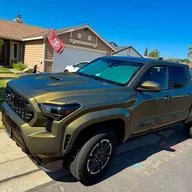
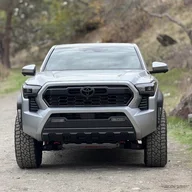
So a few weeks ago I went down the rabbit hole on how to re-calibrate my 360 cameras after I swapped my Limited Grill for a Heritage Grill.
To calibrate your cameras, it's actually fairly simple. You can do it all on your radio infotainment screen.
Steps to access the Calibration Menu (service menu):
1. Get in your truck and close all the doors and windows. From my testing, you cannot access the Service Menu if a door or window is open. Once you access the Service Menu, you then can open a door or window.
2. With your foot off the brake pedal, double click your stop/start button to access Accessory Mode
2. Wait until the infotainment (radio) screen boots up
3. Turn the volume all the way off
3. Go to Settings > Display > Screen > Turn off Display
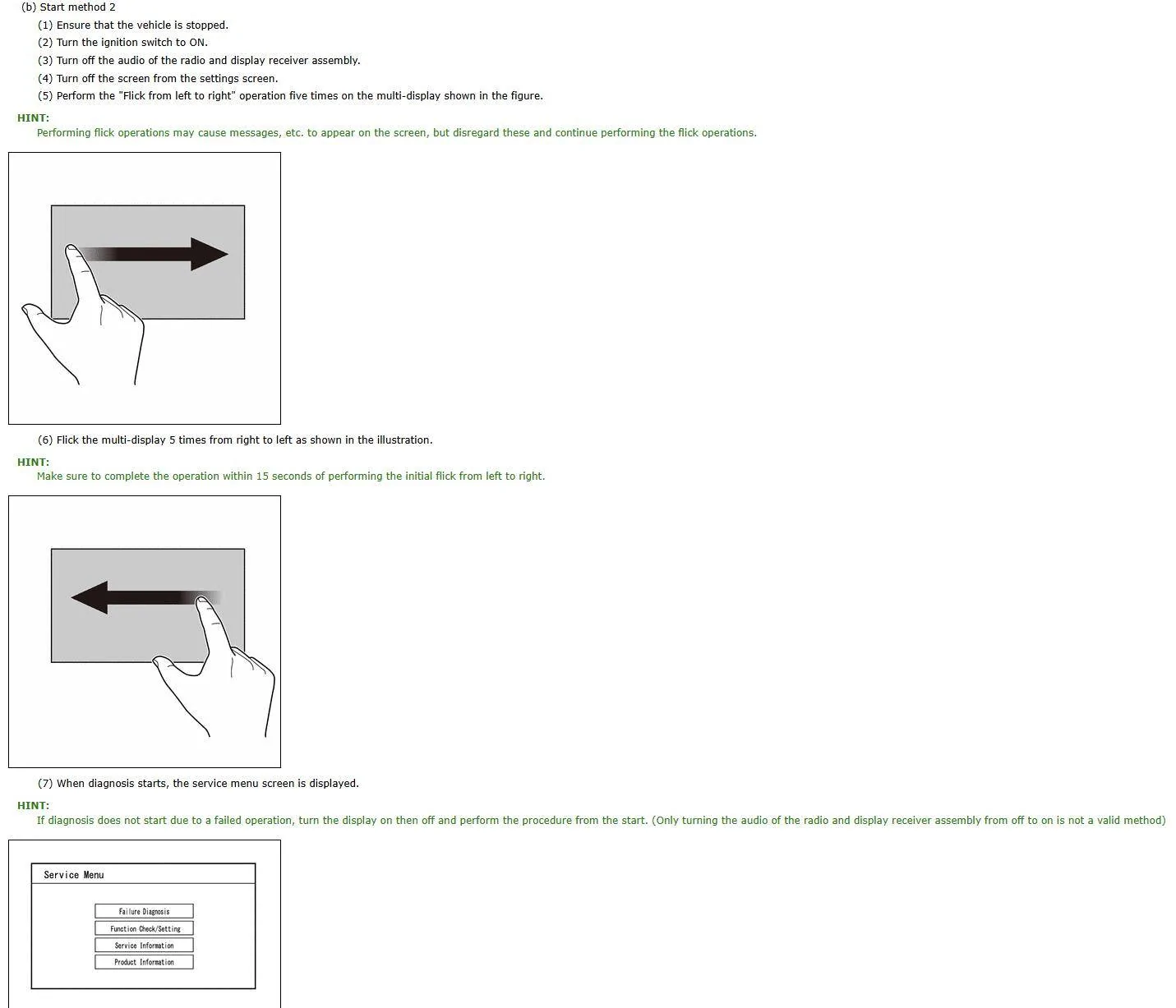
4. Okay so here is the hardest part. You have to swipe left to right 5 times, and then right to left 5 times. Your screen may display "Touch to turn screen on" while you are swiping, but ignore the message.
4a. It may take 1 or 2 tries to get this to work. If you mess up, you just have to tap the screen to turn it back on, then turn it back off in the settings. Then continue with step #4 again.
5. If swiped correctly, you should see a Service Menu pop up.
6. Navigate to Function Check > Camera Settings > View Adjustment
6a. If an option is greyed out, just hold the desired option for appx. 5 seconds and it will let you select it.
7. After selecting View Adjustment, select Next.
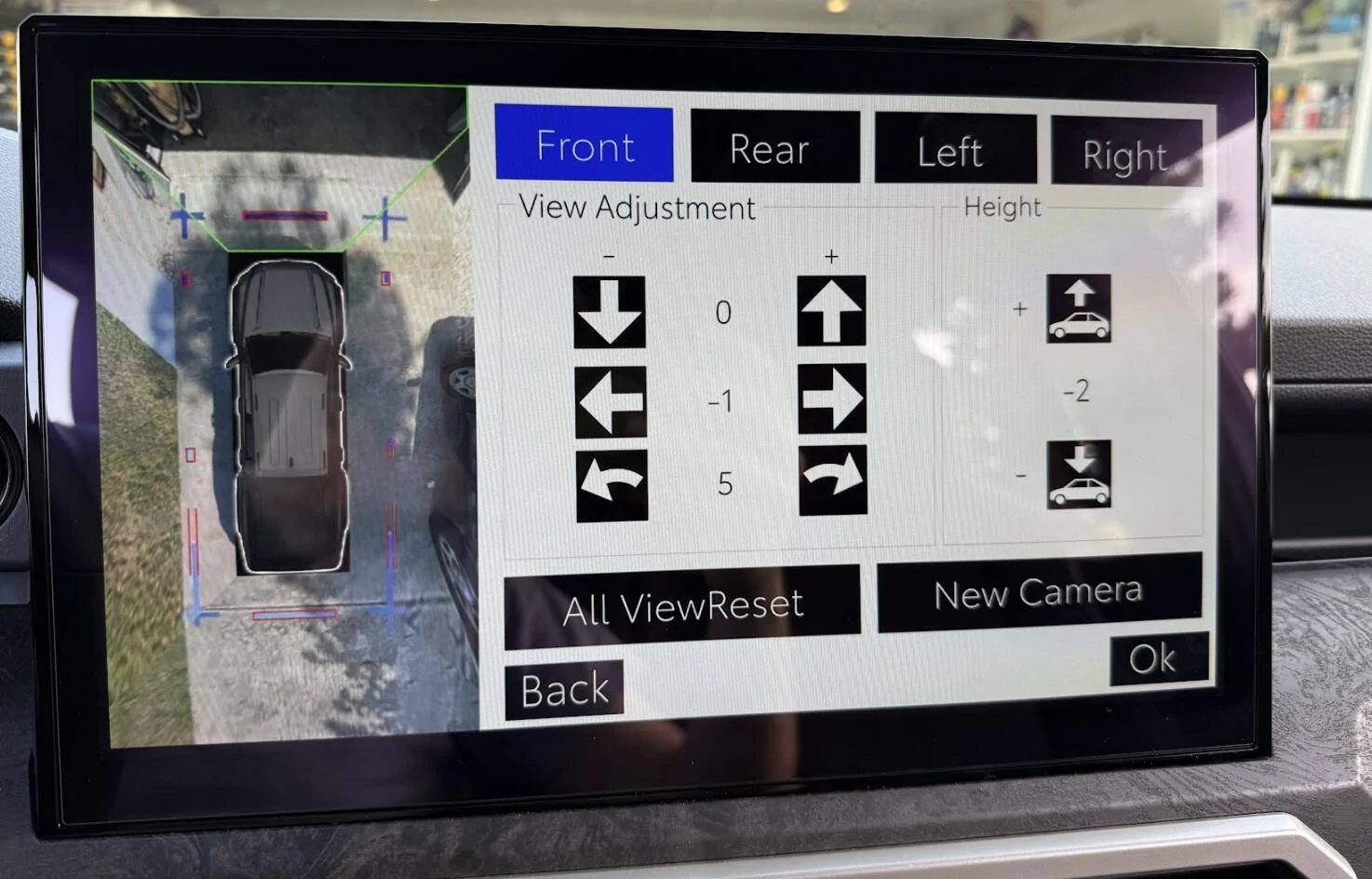
8. You will now see the birds eye view of your truck where you can make adjustments.
9. After making your adjustments, select Ok.
10. Once it completes saving, click OK and you can exit the Service Menu. The next time you start the truck, it will ask you to complete service mode and just choose ok to complete.
Notes:
- Accessory Mode only stays on for 15-20 minutes, so make sure you don't take too long to adjust all your cameras otherwise you will have to restart the process.
- I don't think it's possible to get the cameras aligned 100% perfectly. I got it like 95% good and I was happy with the result
- While adjusting the cameras, where both cameras line up and meet in the image, there is no blending effect of how they mesh together. Once you exit the Service Menu, and start driving, the normal 360 camera view adds a blending effect to where the cameras mesh together to hide some of the imperfections of misalignment, so don't worry if the service menu doesn't look 100% perfect.
- If you are only looking to realign your front camera after swapping grills, you can follow the above steps (change the front camera angle to +165 should get you close to spot on, adjust + or - 1 until you get it perfect).
Be cautious when making changes in the Service Menu. It appears you can change other settings in this menu as well, and I recommend not doing so unless you know what you are doing. I am not an export and I am just sharing some of the information I have found.
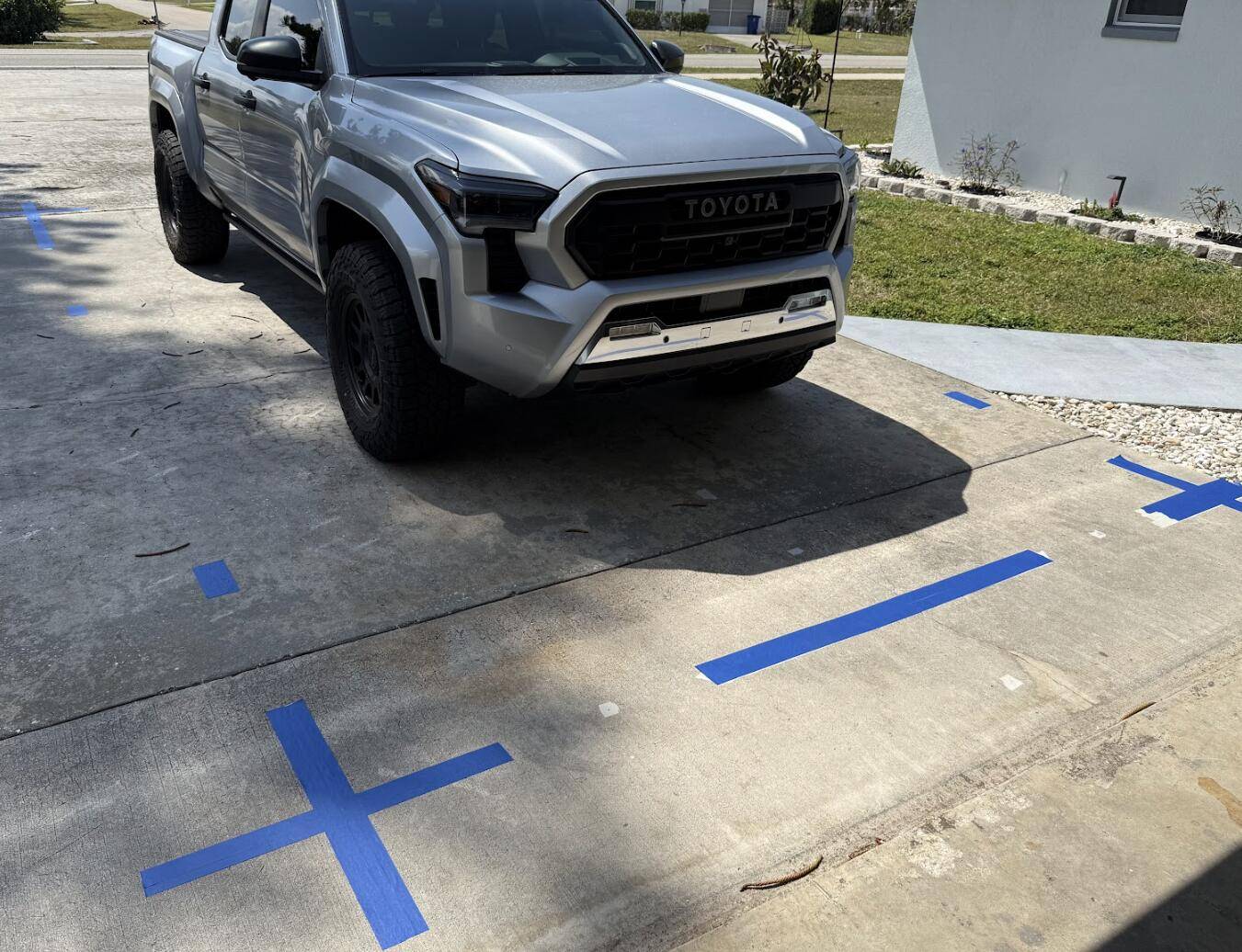
If you are looking to do a full recalibration of all the cameras, I have attached the official Camera Calibration Procedure from the Service Manual that I found shared online. This procedure is very in depth, and honestly probably not recommend if you are only swapping your front grill camera (I believe other forum members were able to change their front camera calibration to +162 or +165 to get it adjusted correctly) With my tailgate camera also being misaligned from the factory, I performed this calibration to get everything dialed in. It did take some time, especially settings up all the tape.
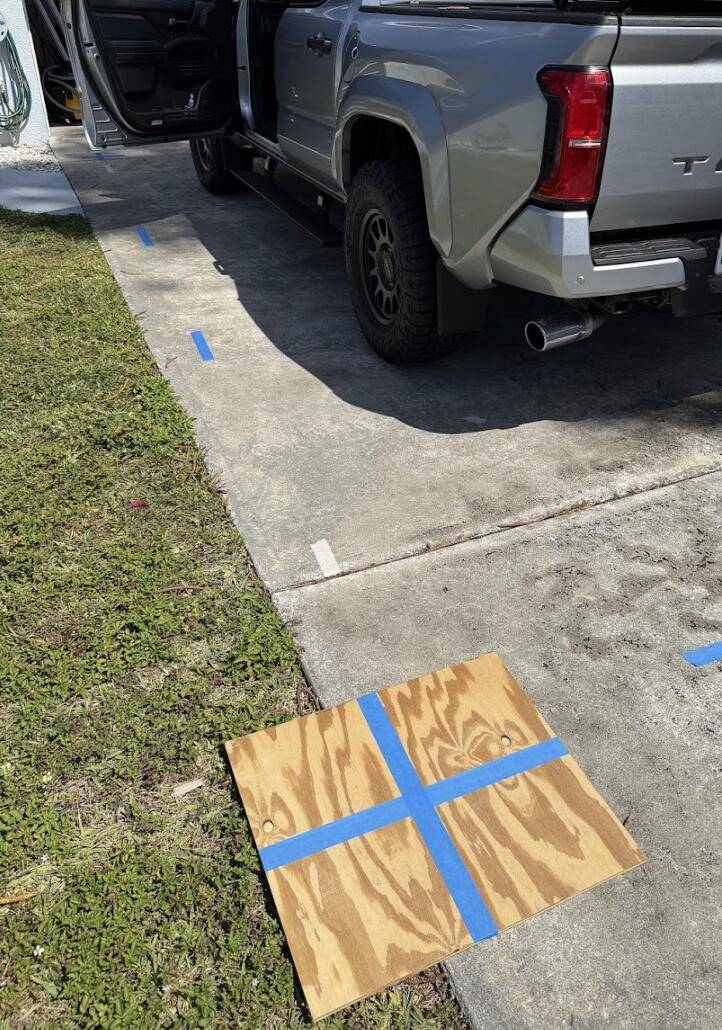
The official calibration procedure of laying tape down in precise locations was time consuming and very tedious to get all the tape lined up perfectly. Honestly, I think if you just take a 2ft x 2ft piece of wood or cardboard, put some painters tape on it, and move it around to each corner of your truck where your cameras 'mesh' together in the view, it will work almost as good. I've saw someone else mentioned they just went to a parking lot and used the painted lines.
Tape laid out per the Service Manual Procedure
This was as close as perfect as I could get it. It's not perfect, but I was happy with the results. Much better than how it came from factory. The adjustment values in this picture are not accurate, as each time you save, the value returns to zero.
I am trying to recalibrate my front camera, since i will be changing out to the Trail hunter grille with Rave offroad bracket i have a few questions for all you experts out there.
1. How many times can I do this recalibration? is it just a one time one shot only?.. what if I have to adjust multiple times to get the right number for my truk?
2. lets say i adjust the settings, to +165, save and exit, but then for whatever reason I have to go back into the menu to make adjustments again... does the previous set value show "+165" or does it go back to zero? I also ask because i want to take picture of the Default factory numbers, just in case i have to revert back to the factory default numbers.
I am trying to recalibrate my front camera, since i will be changing out to the Trail hunter grille with Rave offroad bracket i have a few questions for all you experts out there.
1. How many times can I do this recalibration? is it just a one time one shot only?.. what if I have to adjust multiple times to get the right number for my truk?
2. lets say i adjust the settings, to +165, save and exit, but then for whatever reason I have to go back into the menu to make adjustments again... does the previous set value show "+165" or does it go back to zero? I also ask because i want to take picture of the Default factory numbers, just in case i have to revert back to the factory default numbers.
1. I've recalibrated mine twice so far so at least 2 times, maybe unlimited?
2. If you save +165 and then enter the menu again, the numeric value will be back to 0, but the adjustments will remain the same from what you have already saved.
1. I've recalibrated mine twice so far so at least 2 times, maybe unlimited?
2. If you save +165 and then enter the menu again, the numeric value will be back to 0, but the adjustments will remain the same from what you have already saved.
Thank you for responding. Do you mind sharing what bracket you used for your camera and what number you adjusted to? I have been reading that the Rave offroad bracket is not the best and the camera gets flipped due to it not being designed correctly.
Thank you for responding. Do you mind sharing what bracket you used for your camera and what number you adjusted to? I have been reading that the Rave offroad bracket is not the best and the camera gets flipped due to it not being designed correctly.
i just purchased one of his brackets since i do not have a 3d printer. Are you happy with the way the camera's are functioning without doing the whole 360 resync??
Two dumb quirks I ran into, posting here just in case at all helpful.
1.) The Rave camera mount looks like it was printed incorrectly. I managed to install mine upside down because I looked at it and though "clearly this is keyed to only go one way". Turns out the "correct" way is to put it 180 degrees to that and push it in with force. See:
2.) The engineering mode screens can only be accessed if the touchscreen beep is turned on. At least for me. I tried this dozens of times and noticed in the videos it was beeping in response....figured I try turning my beep back on....and voila, it fixed the problem.
Two dumb quirks I ran into, posting here just in case at all helpful.
1.) The Rave camera mount looks like it was printed incorrectly. I managed to install mine upside down because I looked at it and though "clearly this is keyed to only go one way". Turns out the "correct" way is to put it 180 degrees to that and push it in with force. See:
2.) The engineering mode screens can only be accessed if the touchscreen beep is turned on. At least for me. I tried this dozens of times and noticed in the videos it was beeping in response....figured I try turning my beep back on....and voila, it fixed the problem.
I didn't have screen beeping on. Worked just fine accessing it multiple times. Not a required part of the equation. Maybe having it on just helped you making sure you drew out the swipe long enough?