

Sponsored

Need switch wiring help

glency

SR5
Well-known member
Joined
Sep 18, 2024
Threads
2
Messages
45
Reaction score
40
Location
san diego
Vehicle(s)
24 tacoma
So, i've tried to wire a square switch from cali raised to my Diode Dynamics light. The Diode Dynamics switch is a two way rocker switch, at the rear there are three wires. Yellow, red, and blue. The red wire is hot and is fused. I tried to connect the switch but it didnt work.

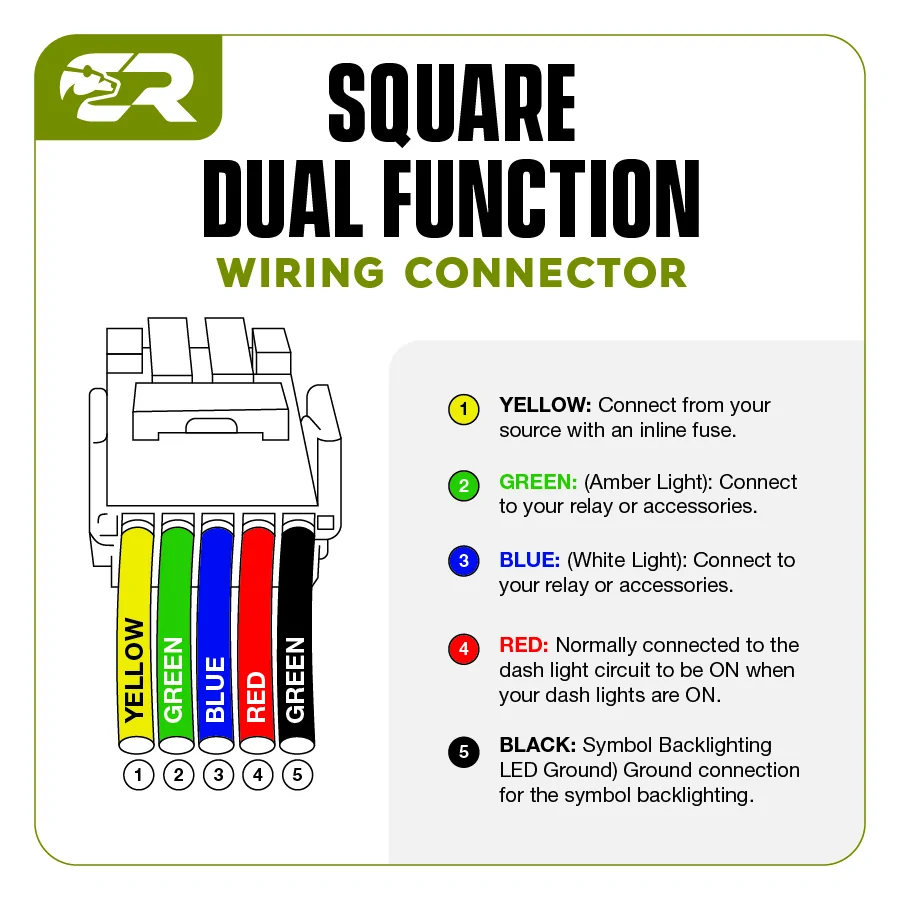
I connected the yellow wire to the red colored, hot, fused wire.
Green and blue went to the other two wires on the Diode Dynamics rocker switch.
Ignored red and black because the diagram says its just for backlighting.

Has anyone added this switch to a Diode Dynamics light bar?

Thanks in advance

2024 Tacoma Need switch wiring help Square_Dual_Function_Wiring-v1


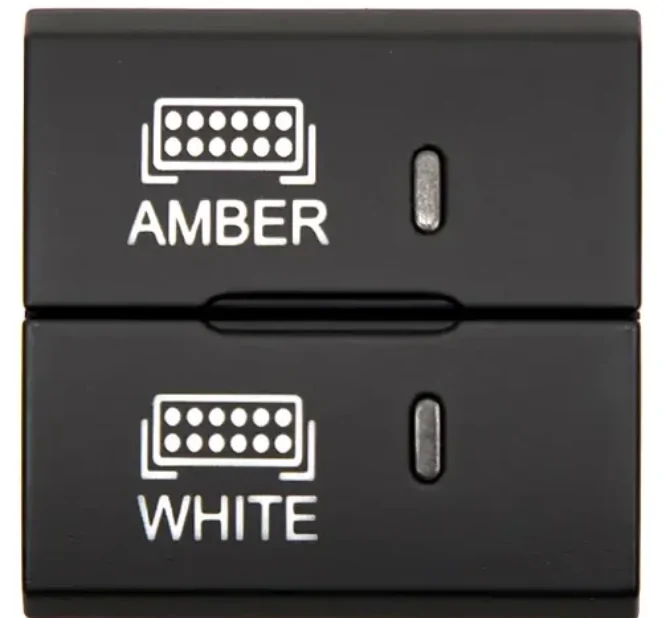
2024 Tacoma Need switch wiring help Screenshot 2026-09-27 at 6.25.49 AM
Sponsored


Attachments

Pappy

TRD Off-Road
Well-known member
First Name
Jon
Joined
Jan 11, 2025
Threads
13
Messages
427
Reaction score
585
Location
Intermountain West
Vehicle(s)
2025 Tacoma TRD-OR 6MT, 1969 FJ40, 1985 4Runner
I can't help you with the switch you are trying to use. My wire colors are different. I have black, red, blue. I can tell you that:

Black is ground (-).

Black(-) + Red(+) = driving lights
Black(-) + Blue(+) = amber lights
 

tna

TRD Off-Road
Active member
First Name
Tommy
Joined
Dec 24, 2025
Threads
2
Messages
40
Reaction score
21
Location
Texas
Vehicle(s)
4th gen OR
This helped wire mine, make sure the black is grounded to somewhere metal


Wiring connections:
• Ground: Connect the black wire of the switch to a solid ground point, such as a metal bolt under the vehicle's dashboard (11:36, 12:30).
• Backlight Power: Connect the red wire of the switch to a wire tap on your vehicle's existing dashboard wiring. This ensures the switch's backlight turns on when you activate your headlights (11:38, 12:42).
• Main Power In: Connect the yellow wire on the switch to the main power source wire of your light harness (11:58).
• Main Function Out: Connect the green wire on the switch to the power output wire for your primary lighting (12:08).
• Backlight Function Out: Connect the blue wire on the switch to the wire responsible for your secondary (backlight) lighting function (12:14).
Sponsored


Top