
Sponsored

Tire pressure screen reset - when will there be a TSB?

stuckinsocal

TRD Off-Road Premium
Well-known member
Joined
Mar 5, 2025
Threads
1
Messages
110
Reaction score
85
Location
SoCal
Vehicle(s)
24 TRD OR 6MT
It's working now! Thank you for all the support and information, @stuckinsocal! I think the key was the infotainment reset. Here's the order that worked for me:
1. Removed primary profile in infotainment system and in the app
2. Set up connected services in app
3. Reconnected to the infotainment system (tire pressure display did not work at this point)
4. Reset the infotainment system
5. Set the screens like I wanted them, including the tire pressure screen on the second page right hand display
Reconnected my phone with Bluetooth
6. Selected the primary user again and activated it with my 6 digit pin
7. Turned off the truck for a few hours
8. Turned the truck back on and it stuck!

Note that I did this all while the truck was in park and running fully.

Also I have noticed that, if I shift out of park before the infotainment system connects, the tire pressure monitor screen goes away. Maybe that's part of the issue. Anyone else seen that?
Wow, that is amazing news! Thank you for taking the time to troubleshoot and test with me (as well as everyone else who tried as well); now we know more information about how to fix this issue and that the solution is reproducible and not a one off. I can confirm that the fix is still working for me, and I even messed with some of the options for other widgets (MPG, turbo gauge etc) and that did not effect the TPMS widget. It was quite the troubleshooting process but if my research / testing could help just one other person with this annoying issue it was well worth it. I'm hoping this thread helps anyone else searching up this issue; I wish Toyota would spread this information to their techs in a TSB. They seem just as lost as we were. I'm glad this community was able to come up with a fix when Toyota itself couldn't (or more likely couldn't be bothered).
Sponsored

 
Last edited:

stuckinsocal

TRD Off-Road Premium
Well-known member
Joined
Mar 5, 2025
Threads
1
Messages
110
Reaction score
85
Location
SoCal
Vehicle(s)
24 TRD OR 6MT
What do you lose or have to reconfigure on the infotainment reset?

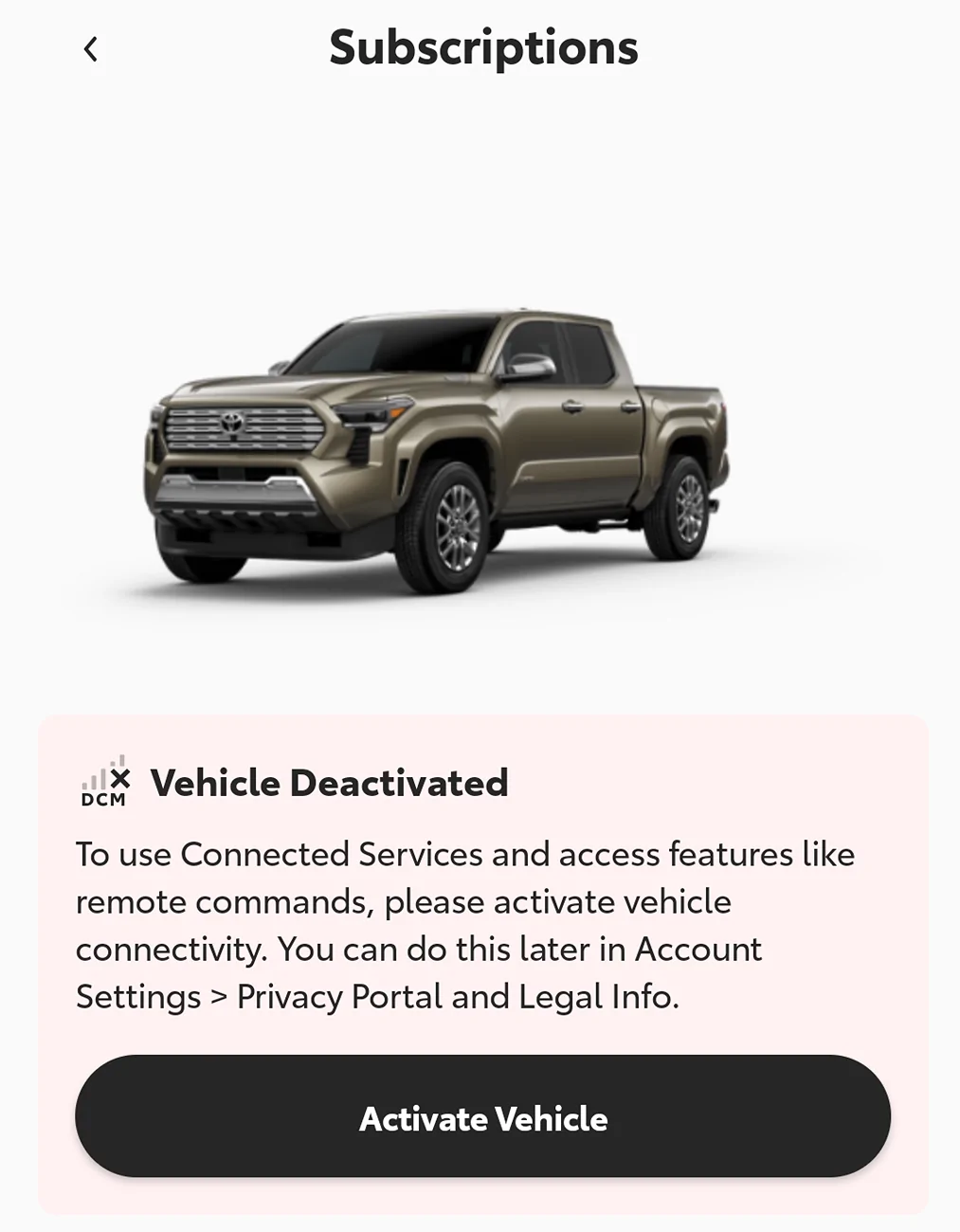
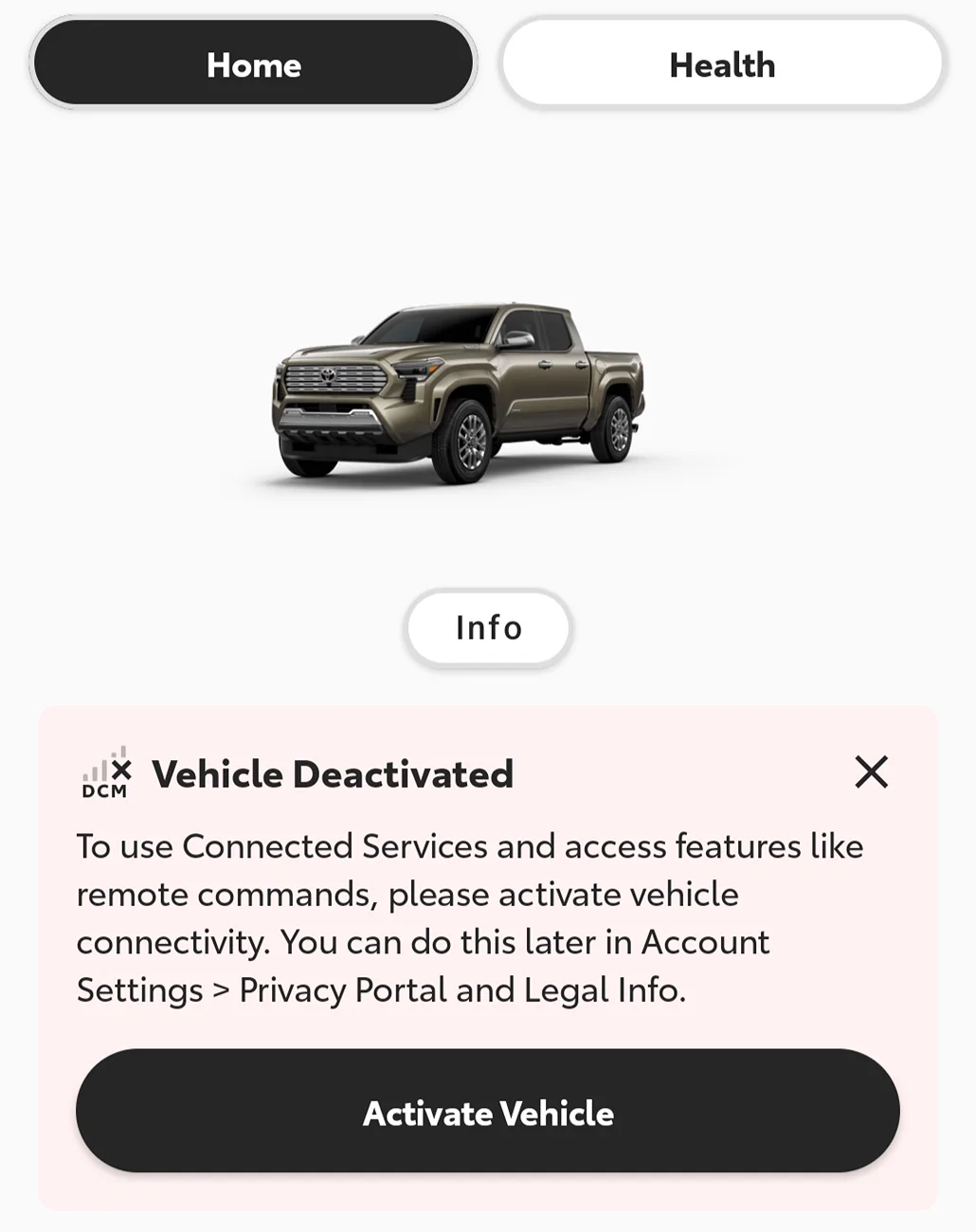
I'm personally extremely hesitant to "undo" the connected services full opt out. Here's what I get within the Toyota app.

Screenshot_20260621-061738.webp


Screenshot_20260621-061713.webp
I lost all my infotainment and dash modifications / selections I made. It was like the truck came from factory; you'll have to set everything up again. You can try doing the reset and finding a way to make a profile or connecting your phone, but connecting the app on your phone to the truck was the first method I found of doing so.

Maybe just connecting to Bluetooth with your phone app open will work? I think I tried that but it didn't work, but I was trying step after step to try and find a fix so I may be misremembering. Worth a shot though!
 

stuckinsocal

TRD Off-Road Premium
Well-known member
Joined
Mar 5, 2025
Threads
1
Messages
110
Reaction score
85
Location
SoCal
Vehicle(s)
24 TRD OR 6MT
I lost my subscription to music lover and had to re subscrib when I disconnected my car. I think I lost the remaining partial month from my previous subscription.
I see, though I hope that fixed the TPMS issue for you at least?
 

stuckinsocal

TRD Off-Road Premium
Well-known member
Joined
Mar 5, 2025
Threads
1
Messages
110
Reaction score
85
Location
SoCal
Vehicle(s)
24 TRD OR 6MT
It's working now! Thank you for all the support and information, @stuckinsocal! I think the key was the infotainment reset. Here's the order that worked for me:
1. Removed primary profile in infotainment system and in the app
2. Set up connected services in app
3. Reconnected to the infotainment system (tire pressure display did not work at this point)
4. Reset the infotainment system
5. Set the screens like I wanted them, including the tire pressure screen on the second page right hand display
Reconnected my phone with Bluetooth
6. Selected the primary user again and activated it with my 6 digit pin
7. Turned off the truck for a few hours
8. Turned the truck back on and it stuck!

Note that I did this all while the truck was in park and running fully.

Also I have noticed that, if I shift out of park before the infotainment system connects, the tire pressure monitor screen goes away. Maybe that's part of the issue. Anyone else seen that?
In regards to your question - I've seen on other vehicle forums with the same digital dash where people were talking about this - this is actually one of puzzle pieces that led me down this profile / infotainment research path. I had actually reset my infotainment earlier as a potential solution (that didn't work without me linking my phone / profile) but because it didn't work at the time I discounted it and didn't realize it was actually step one of the solution I found. Thanks to your testing in trying to reproduce the fix we know now. The consensus seems to be to wait for it to show up before you shift out of park / release your handbrake - it only takes a second and it is good to let your engine get some oil flowing for that second anyway.
 
Last edited:

bsquaredMTB

TRD Off-Road Premium
Well-known member
First Name
Ben
Joined
Mar 10, 2024
Threads
48
Messages
511
Reaction score
396
Location
El Paso, TX
Vehicle(s)
2024 Tacoma TRD Off-Road Premium
In regards to your question - I've seen on other vehicle forums with the same digital dash where people were talking about this - this is actually one of puzzle pieces that led me down this profile / infotainment research path. I had actually reset my infotainment earlier as a potential solution (that didn't work without me linking my phone / profile) but because it didn't work at the time I discounted it and didn't realize it was actually step one of the solution I found. Thanks to your testing in trying to reproduce the fix we know now. The consensus seems to be to wait for it to show up before you shift out of park / release your handbrake - it only takes a second and it is good to let your engine get some oil flowing for that second anyway.
Yeah I think that's a key piece. I've rushed it a bit a couple times and the tire pressure monitor goes away. I'll just set it again. If I wait until things come up then it sticks.
 

Sponsored

stuckinsocal

TRD Off-Road Premium
Well-known member
Joined
Mar 5, 2025
Threads
1
Messages
110
Reaction score
85
Location
SoCal
Vehicle(s)
24 TRD OR 6MT
Unfortunately no. I’ll try again when my subscription is close to the end of month.

I would try getting that recall done before you try again as well; just so you are on the same version of the software that worked for us.
 

Echoedlite

TRD Off-Road
Well-known member
Joined
Oct 19, 2023
Threads
3
Messages
53
Reaction score
48
Location
Wisconsin
Vehicle(s)
2024 Tacoma TRD Offroad Long Bed
I'll concur with the reset being caused by shifting from park during the loading process of the infotainment. I had never connected the dots with that being the case. I also have the tsb for the multimedia screen but haven't gotten around to getting it fixed yet.
 

Baltimore

Well-known member
Joined
Jul 23, 2024
Threads
29
Messages
664
Reaction score
374
Location
Maryland
Vehicle(s)
4g hybrid
@stuckinsocal @bsquaredMTB

I tried to go through this and write down each step I took so that nothing was left to assumption. At the end of it all, it did not change the behavior. After 10 minutes of the vehicle being off, the gauge rolls backwards to the previous available option (if all gauge options are enabled, this means that it shows up as "Trip B" after being off more than 10 minutes. Less than 10 minutes and the vehicle systems are still in passive warm status and it'll stay).

Note: the MID recall software update was already in place. It had previously made no difference in this bug/defect behavior.

  1. Enabled Connected Services under existing setup and waited until I heard the voice over the speakers saying that service activation was successful (SOS status light is green)
    1. Safety Connect = Accepted
    2. Service Connect = Accepted
    3. Dealer Sharing = Declined
    4. Insurance Sharing = Declined
    5. Wi-Fi Connect = Declined
    6. Note: when you disconnect / delete a primary profile, all of this resets and you have to re-accept or re-decline again, so suspicious on the role it might play, but {shrug}
  2. Engine running
    1. On truck, Devices & Bluetooth, Android Auto = Forget
    2. On mobile, Bluetooth, Tacoma = Forget
    3. On truck, Profile, Delete Primary = Yes
      1. Note: This caused an auto-removal from the app within the mobile phone & a notification that the vehicle had been unpaired
    4. On truck, parking brake not set
    5. All gauges have now reset to factory based upon the deletion of the primary profile
      1. Vehicle shows in "guest" mode
    6. I went through and configured all desired gauges, dials, and systems settings under 'guest'
      1. Opted to test out what would happen, so I left as-is overnight. Everything except TPMS stuck, so no change/benefit
  3. Next day, engine not running, just in "ON" mode
    1. On truck, parking brake not set
    2. Within mobile app, logged in and then clicked to add a vehicle
    3. Within truck, clicked under 'profile' and "get started", entered mobile number to get it to move to the QR code screen
    4. Within mobile app, scanned the VIN number (! double check that it read it correctly, mine would constantly get one or two characters incorrect and I had to manually edit them)
    5. Within mobile app, scan the QR code on the truck screen and click to finish the process
    6. Once it finished it's thing on the mobile phone, all the gauges in the truck reset to factory defaults and the main screen said it loaded my profile
    7. At this point I had to make my subscription selections in the app as if they had never been done
      1. Safety Connect = Accepted
      2. Service Connect = Accepted
      3. Dealer Sharing = Declined
      4. Insurance Sharing = Declined
      5. Wi-Fi Connect = Declined
    8. I noticed the quick message that a restart of the vehicle may be required, so I opted to OFF/ON the vehicle. While doing so, I left the Toyota app open and displayed on my mobile phone (Bluetooth paired, AA toggled on)
  4. With vehicle cycled OFF/ON once and in "ON" mode (all systems active, no engine running)
    1. On truck, parking brake not set
    2. Tapped to be actively viewing the profile screen on the main display
    3. Set all my gauge configurations as desired
      1. main call-outs are:
        1. type = single, style = tough, dial = tach
        2. screen 1 = navigation | cruise | efficiency
        3. screen 2 = current drive | settings | trip A (set for time / total distance)
        4. screen 3 = tpms | settings | trip B (set for time / avg speed)
    4. Tapped away from profile on the main screen and went into general settings to edit those back to my desired setups
    5. Tapped back to profile screen
      1. NOW, under profile it provided the options to "Link Device" and to "Link Key"
        1. Confirmed to link device = my mobile phone
        2. Confirmed to link key = my primary fob
    6. Turned off truck and let it power down
  5. A few hours later, powered truck up
    1. TPMS was back to Trip B
    2. change the gauge back, and set parking brake = on
    3. turned off truck
  6. Came back after an hour or so, powered truck up
    1. TMPS was back to Trip B

Hopefully you might be able to help identify where things were different or not different. Although I have found that the Toyota app can get unhappy with you if you try to dis-link and re-link the same vehicle too many times in a short amount of time and then errors out (I suspect server sync hasn't finished replicating though the network).

For me, I'm not yet seeing a positive difference in behavior other than seeing the ODO and Tire pressure within the mobile app (but that wasn't the objective).
 

stuckinsocal

TRD Off-Road Premium
Well-known member
Joined
Mar 5, 2025
Threads
1
Messages
110
Reaction score
85
Location
SoCal
Vehicle(s)
24 TRD OR 6MT
@stuckinsocal @bsquaredMTB

I tried to go through this and write down each step I took so that nothing was left to assumption. At the end of it all, it did not change the behavior. After 10 minutes of the vehicle being off, the gauge rolls backwards to the previous available option (if all gauge options are enabled, this means that it shows up as "Trip B" after being off more than 10 minutes. Less than 10 minutes and the vehicle systems are still in passive warm status and it'll stay).

Note: the MID recall software update was already in place. It had previously made no difference in this bug/defect behavior.

  1. Enabled Connected Services under existing setup and waited until I heard the voice over the speakers saying that service activation was successful (SOS status light is green)
    1. Safety Connect = Accepted
    2. Service Connect = Accepted
    3. Dealer Sharing = Declined
    4. Insurance Sharing = Declined
    5. Wi-Fi Connect = Declined
    6. Note: when you disconnect / delete a primary profile, all of this resets and you have to re-accept or re-decline again, so suspicious on the role it might play, but {shrug}
  2. Engine running
    1. On truck, Devices & Bluetooth, Android Auto = Forget
    2. On mobile, Bluetooth, Tacoma = Forget
    3. On truck, Profile, Delete Primary = Yes
      1. Note: This caused an auto-removal from the app within the mobile phone & a notification that the vehicle had been unpaired
    4. On truck, parking brake not set
    5. All gauges have now reset to factory based upon the deletion of the primary profile
      1. Vehicle shows in "guest" mode
    6. I went through and configured all desired gauges, dials, and systems settings under 'guest'
      1. Opted to test out what would happen, so I left as-is overnight. Everything except TPMS stuck, so no change/benefit
  3. Next day, engine not running, just in "ON" mode
    1. On truck, parking brake not set
    2. Within mobile app, logged in and then clicked to add a vehicle
    3. Within truck, clicked under 'profile' and "get started", entered mobile number to get it to move to the QR code screen
    4. Within mobile app, scanned the VIN number (! double check that it read it correctly, mine would constantly get one or two characters incorrect and I had to manually edit them)
    5. Within mobile app, scan the QR code on the truck screen and click to finish the process
    6. Once it finished it's thing on the mobile phone, all the gauges in the truck reset to factory defaults and the main screen said it loaded my profile
    7. At this point I had to make my subscription selections in the app as if they had never been done
      1. Safety Connect = Accepted
      2. Service Connect = Accepted
      3. Dealer Sharing = Declined
      4. Insurance Sharing = Declined
      5. Wi-Fi Connect = Declined
    8. I noticed the quick message that a restart of the vehicle may be required, so I opted to OFF/ON the vehicle. While doing so, I left the Toyota app open and displayed on my mobile phone (Bluetooth paired, AA toggled on)
  4. With vehicle cycled OFF/ON once and in "ON" mode (all systems active, no engine running)
    1. On truck, parking brake not set
    2. Tapped to be actively viewing the profile screen on the main display
    3. Set all my gauge configurations as desired
      1. main call-outs are:
        1. type = single, style = tough, dial = tach
        2. screen 1 = navigation | cruise | efficiency
        3. screen 2 = current drive | settings | trip A (set for time / total distance)
        4. screen 3 = tpms | settings | trip B (set for time / avg speed)
    4. Tapped away from profile on the main screen and went into general settings to edit those back to my desired setups
    5. Tapped back to profile screen
      1. NOW, under profile it provided the options to "Link Device" and to "Link Key"
        1. Confirmed to link device = my mobile phone
        2. Confirmed to link key = my primary fob
    6. Turned off truck and let it power down
  5. A few hours later, powered truck up
    1. TPMS was back to Trip B
    2. change the gauge back, and set parking brake = on
    3. turned off truck
  6. Came back after an hour or so, powered truck up
    1. TMPS was back to Trip B

Hopefully you might be able to help identify where things were different or not different. Although I have found that the Toyota app can get unhappy with you if you try to dis-link and re-link the same vehicle too many times in a short amount of time and then errors out (I suspect server sync hasn't finished replicating though the network).

For me, I'm not yet seeing a positive difference in behavior other than seeing the ODO and Tire pressure within the mobile app (but that wasn't the objective).
Just to confirm; you did a full system reset in the infotainment before trying the steps?

1: infotainment reset (this will also reset your dash)
2. Set the screens the way wanted them, including the tire pressure screen (in park, parking brake on)
3: Reconnect phone with Bluetooth
6. Selected the primary user again and activated it with your PIN (this step means you are headed in the right direction)
7: Test

When you first start up the truck, you need to wait for the dash to load (including the tire pressure screen) before you release the parking brake or move out of park; it should only take a second. Otherwise it may not stick, however if you fix it and wait it will stick the next time (I've experienced it personally)

And FYI - it has been a while now and it has stuck ever time I've started the truck; with sometimes multiple days between starts.
Sponsored

 
Last edited:


Top