
OP
OP
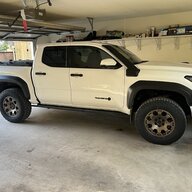

- Thread starter
- #121
I want to try the profile thing - but where is this profile? Do I not already have a profile?
Sponsored
I didn't see any profile before, however after I did the steps outlined in my post this is what you should see. I did this by having the Toyota app linked to my truck (via inputting my VIN into the app I think; I set it up a long time ago), and accepting the connected services EULA. You should have 10 years of 2 "trials". Service and safety connect. I had the app open and started my truck; I also connected it to USB but that may or may not be needed. The truck did take some time after I accepted the EULA to link up with Toyota and activate the system. You may get a female voice from the infotainment telling you activation is successful or something like that.I want to try the profile thing - but where is this profile? Do I not already have a profile?
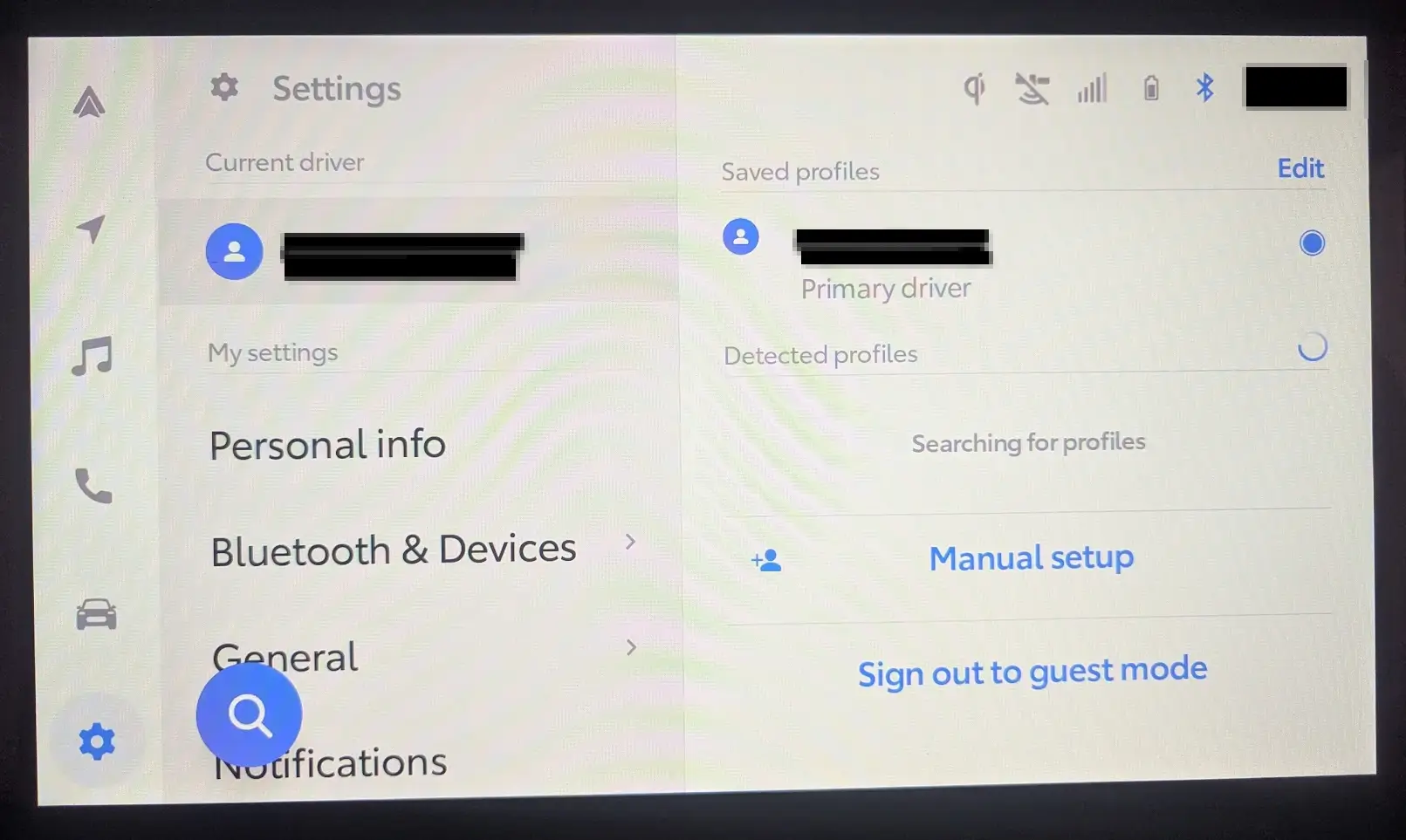

For me that reverted to blank. And just to confirm, with the profile set. You have been in Park, with the parking break set. You've set it to TPMS. Then power cycled the truck? One thing I noticed: it takes a second for the screen to load - you might want to wait for it to load before turning the handbrake off or putting it into gear.I’ve had my profile screen like that since I’ve had the truck and unfortunately my tpms still won’t stick. I’ll try removing and adding the profile to see if that does anything. Hope it works for you guys.
I forgot, has anyone tried unchecking every other option and only leaving the TPMS checked?
Also, you may not need to remove your profile - try setting a new one and making that your default to see if that helps first. Just something we would do in the IT world.I’ve had my profile screen like that since I’ve had the truck and unfortunately my tpms still won’t stick. I’ll try removing and adding the profile to see if that does anything. Hope it works for you guys.
I forgot, has anyone tried unchecking every other option and only leaving the TPMS checked?
Ok I’ll try this tomorrowFor me that reverted to blank. And just to confirm, with the profile set. You have been in Park, with the parking break set. You've set it to TPMS. Then power cycled the truck? One thing I noticed: it takes a second for the screen to load - you might want to wait for it to load before turning the handbrake off or putting it into gear.
Do you see "loading profile" in your infotainment as well?
Sounds good; mine has stuck for a few days, including just now when I went to go take that picture. I'm hoping this works out for all of us.Ok I’ll try this tomorrow
I've had a profile since the day I took ownership. It's married to a specific key fob so it auto loads when that fob is used to start the truck. I set up the app back in the beginning, but immediately declined all services and triggered an opt-out. If I have lived without them so far in my life and Toyota wants $15+/mo, no thanks (<$50/yr would be a different consideration).
Before and after the MID software update I've tried the tpms in all 6 dash positions (even all at once!). None ever stick if the vehicle is off for more than 10 min (does a full power down). Likewise, as mentioned by others, if you disable all other options within that gauge view, it comes back as simply "blank".
Which gauge it is or which screen makes no difference.
No matter how you have the gauge set, if the truck is off for more than 10 minutes, upon startup it "rolls" to whatever is permitted as the previous (up) option.
I've tried to each time having to go to that screen, long press the selector, flick over, flick down once, then back, back to exit. Highly annoying but not overly complicated.
The whole in park / not in park, with brake / without brake had zero effect (changed nothing).
Just of it working, or are you looking for more clarity into the steps I took? I'll be honest; I was troubleshooting and didn't document with pictures / notes as I was going along but you don't know which thing is the solution until you stumble upon it. I had tried the dashboard reprogram recall and a full reset of my infotainment / dash until I tried this method.@stuckinsocal thank you for the explanation! I'll give it a shot. If anyone out there has a video of this working that'd be awesome!
Connected services on from beginning. Subscribed to music lovers package. Oh and yes. The loading profile always popped up.Thank you very much for your write up. You've provided us with valuable data and insights into this issue / potential fix. It looks like connected services is playing a bigger part in this setting than I thought previously. It is more than having a profile; perhaps both is needed. I've been testing everyday and will update if anything changes, but so far having both is fixing the issue for me. I previously considered that connected services may not be needed if you had a profile, but it could very well be that connected services is also part of the solution in regards to this glitch. I very much understand you not wanting to enable it (I mean, I am the same) but just as a heads up you do get a 10 year "trial" or service and safety connect at no cost. That is all I have enabled and I'd be even more bothered if I had to pay for it to not be glitched out.
@rijc99 I know you were going to test today; did you have connected services on or disabled?
I did have android auto disabled at the time when linking my connected services, however I'm not sure how much effect it had. Does anyone know if Tacoma4g strips the metadata from any video files you upload? Just tested and still working / sticking for me. TPMS takes a second to come up and on my infotainment, once I click past the warning it does show "welcome [my profile name] your settings are being loaded".Connected services on from beginning. Subscribed to music lovers package. Oh and yes. The loading profile always popped up.
I’m setting a guest profile and see if that changes anything and disabling Apple car play to take that out of the equation for now.